Conversational form
Event feedback form that asks what to change
Feedback collected a week later is memory; collected the next morning it is evidence. This survey is eight screens, two of them free text, built so the organiser gets a ranked list of sessions and two sentences per person about what to keep and what to drop.
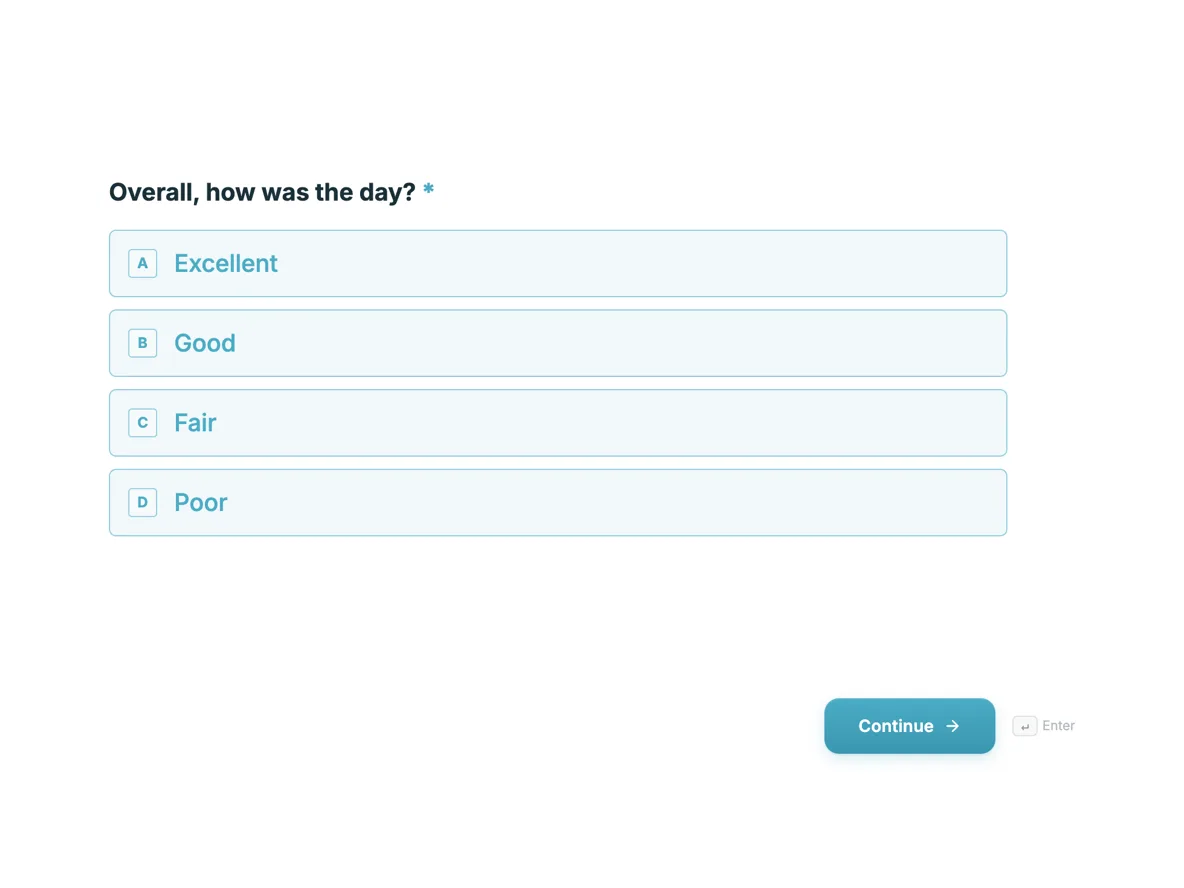
The form itself
The first screen of the form. A conversational form shows one question per screen, so the remaining screens are listed in the field table below. Nothing here can be filled in or submitted, so read it as a reference and build your own from the button above.
Every field, and what it collects
The complete field list, in the order respondents meet it.
- Overall, how was the day?Single choiceRequired
- Options: Excellent · Good · Fair · Poor
- Rate the sessions you attendedRating grid
- Use Skip for anything you missed. A session you did not see should not drag its average down.
- Statements:
- Opening keynote
- Attribution panel
- Creative workshop
- Analytics deep dive
- Closing talk
- What was the best part?Long textRequired
- What would you change?Long textRequired
- Venue, food and timingRating grid
- The logistics, separate from the content.
- Statements:
- Venue
- Catering
- Schedule
- Registration
- Would you come next year?Single choiceRequired
- Options: Yes · Probably · Not sure · No
- Who are you?Dropdown
- Optional. It lets us read the ratings by audience, nothing more.
- Options: Marketer in house · Agency · Freelancer · Vendor · Student · Speaker
- Name and email, if you want a replyShort text
Question banks built on this form
When to send an event survey
Inside 24 hours, while the closing talk is still a memory rather than a rumour. The morning after works best: attendees are back at a desk, the email lands during coffee, and the two minute promise on the welcome screen is believable because it is true. Wait a week and two things rot at once, the response rate and the specificity. A next-day answer names the session and the room; a next-week answer says it was pretty good overall. This form is short enough to close while the coffee is still warm, which is the entire strategy.
How to adapt this form
A single workshop drops the session grid and rates the one session on the logistics scale instead. A multi day conference repeats the session grid once per day rather than growing one grid to fifteen rows, because a grid taller than six rows stops being answered honestly on a phone. An internal town hall keeps the keep and change questions, drops return intent, and makes the who-are-you dropdown a department list. In every version, the required questions stay under five so the survey finishes before the goodwill does.
What makes this form work
The Skip column keeps the averages honest
Five sessions rated by 300 people would be poisoned if everyone scored talks they never sat in. The grid’s first column is Skip, so a missed session is recorded as missed rather than as a middling three, and the per session averages the speakers receive reflect only actual audiences.
What would you change is required, what was best is too
Both free text screens are required and they sit side by side, so praise and criticism arrive in pairs. The organiser reads a keep list and a change list of equal weight, instead of a comments field where compliments crowd out the one complaint that matters.
Identity is the last screen and fully optional
The name and email screen closes the survey and can be left blank, which the placeholder says outright. People answer seven questions candidly because nothing has asked who they are yet, and the ones who want a reply can still get one.
Questions people ask
How soon after an event should the survey go out?
Within 24 hours, with the two minute estimate stated up front. The morning after is the sweet spot: memories are specific, inboxes are open, and the event is still worth talking about. Every day of delay costs both responses and detail, and by day three you are surveying impressions rather than the event.
How many questions can a post event survey ask?
Eight screens here, and only four are required. Survey research keeps showing completion falls as length grows, which is why the two free text questions carry the load and everything else is a tap. If you add a ninth screen, remove one first.
How does the session grid export?
As one column per grid, with each row joined as statement and answer pairs separated by pipes. Split the column in your spreadsheet, filter out the Skips, and average what remains per session. Ten minutes of work turns 300 responses into a ranked programme for next year.
Should event feedback be anonymous?
Optional identity, asked last, is the honest middle. The welcome screen says who reads the answers, the final screen lets anyone leave a name if they want a reply, and everyone else stays anonymous. Asking for a name first is the fastest way to blunt the what-would-you-change answers.
How do you share ratings with the speakers?
As averages per session, taken from the exported CSV, never as raw comments. The thank-you screen commits to exactly that, which protects both the attendee who wrote bluntly and the speaker who reads selectively. Free text goes to the organisers alone.
Can you collect this by QR code at the venue?
Yes, the same link works on a poster by the exit, and a few people will fill it in while packing up. The next-day email still does the heavy lifting, because answers written at a desk are longer and calmer than answers typed while queueing for the cloakroom.
Build your own in about a minute
The button below opens the generator with this use case already described. Change the wording to match your own, generate, then edit anything you like.
Make one like thisOther form examples
Customer feedback survey
A conversational feedback survey of six questions, shown one at a time with a 1 / 6 counter at the top of each screen. It opens with a five point satisfaction question about today's visit, moves to the Net Promoter question on a 0 to 10 scale, asks for the reason behind the score, then closes with what went well, one thing to improve and an optional email for a reply.
NPS survey with the score explained
Net Promoter Score is one question, and most surveys ruin it by adding nine more. This one is the question, one follow up, and a permission to reply, and the page shows how the number is worked out from the responses table.
360 feedback form
A 360 round fails when raters score a personality instead of a behaviour, and when there is nowhere honest to say they have not seen something. This form asks fifteen behaviours on a frequency scale with a "not seen" column, then three written questions that between them produce the only part of the report anybody rereads. It is conversational, because a rater who meets one grid at a time writes longer answers than one facing three at once.
Want the steps in the builder? Read Create a conversational form with AI, then View, export and manage your responses. For everything this generator can do, see the form maker.
Written and checked by the OneCraft team. Last checked .