Conversational form
Appointment request form that reception confirms
A form is not a calendar, and pretending otherwise is how double bookings happen. This one asks for three preferred times in the patient’s own words, tells them reception will confirm one by text within two working hours, and collects the reason for the visit so the right length of appointment gets booked.
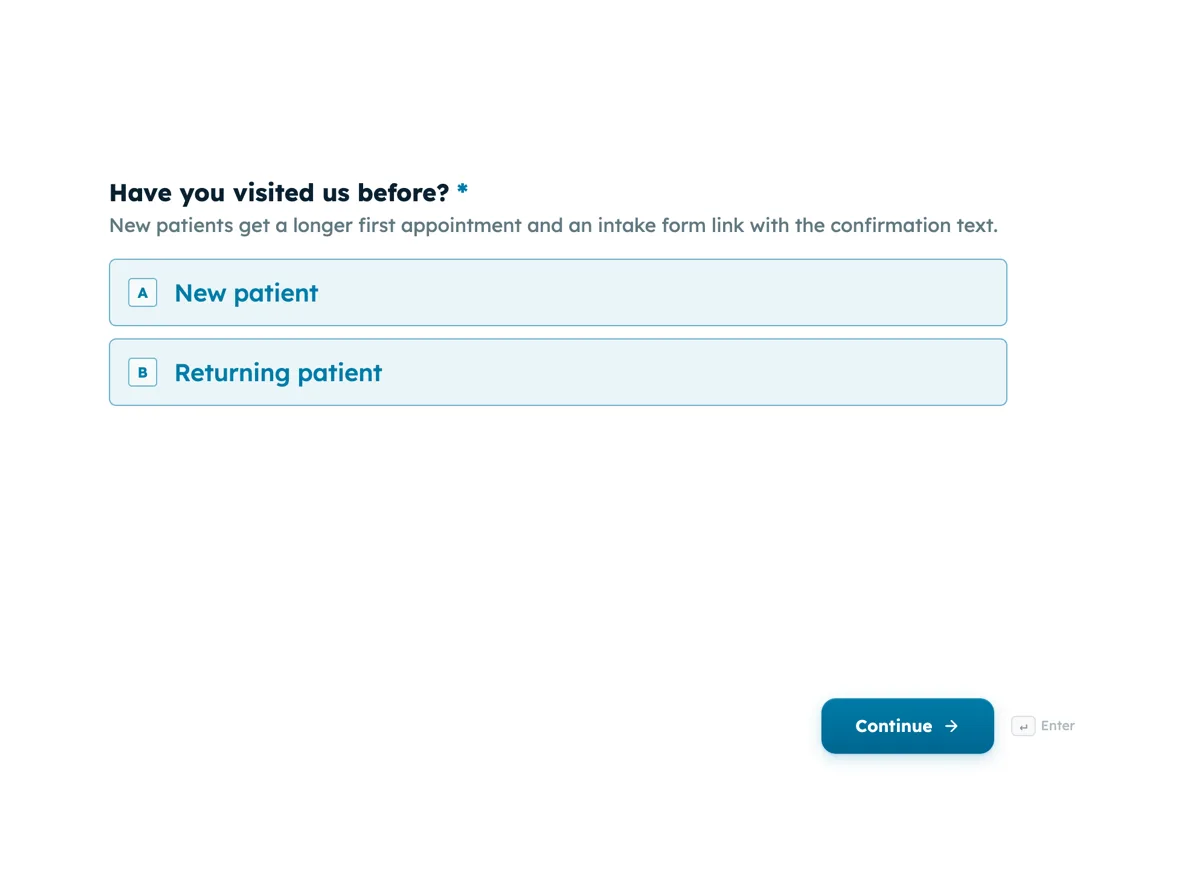
The form itself
The first screen of the form. A conversational form shows one question per screen, so the remaining screens are listed in the field table below. Nothing here can be filled in or submitted, so read it as a reference and build your own from the button above.
Every field, and what it collects
The complete field list, in the order respondents meet it.
- Have you visited us before?Single choiceRequired
- New patients get a longer first appointment and an intake form link with the confirmation text.
- Options: New patient · Returning patient
- Your nameNameRequired
- Mobile for the confirmation textPhoneRequired
- EmailEmail
- Optional. The text message is the confirmation; email is a backup.
- What is the visit for?DropdownRequired
- Different problems need different appointment lengths, so this sets how long we book.
- Options: General check · Heel or arch pain · Nail care · Orthotics · Diabetic foot check · Sports injury · Something else
- Tell us a little moreLong text
- Preferred practitionerSingle choice
- Options: Dr Anh Tran · Dr Sam Reilly · First available
- First preferred day and timeShort textRequired
- In your own words. Reception matches it against the real diary.
- Second and third preferencesLong textRequired
- Do you have a referral or health fund card to bring?Multiple choice
- Tick what applies so reception can prepare your file before you arrive.
- Options: GP referral · Health fund card · NDIS plan · None of these
Why a request beats a fake calendar
A booking widget that shows slots it cannot guarantee is worse than no widget, because every mismatch becomes an apology. A small clinic without live scheduling does better to be honest: collect three preferred times in words, promise a confirmation inside a stated window, and let a human match requests to the real diary. The form does the collecting, the thank-you screen does the promising, and the two working hours figure gives reception a standard to hit. Patients tolerate waiting for a confirmed time far better than they tolerate a slot that turns out not to exist.
How to adapt this form
A salon replaces the reason dropdown with a services list and the practitioner question with a stylist choice, and keeps everything else. A lawyer’s initial consultation form swaps the referral checkbox for a short conflict check question, the one thing that must be known before a meeting is booked. A mobile mechanic adds an address field and asks where the car will be parked. The pattern holds anywhere a human confirms the booking: identify the person, size the job, take three times in words, and say exactly how and when the confirmation arrives.
What makes this form work
Three preferred times, all in words
One required screen takes the first preference and a second required screen takes two more. Reception gets three honest windows per patient instead of one rigid timestamp, which is why most requests are confirmed on the first text rather than after a negotiation.
New or returning is the first screen
It is a one tap question, and it decides both the slot length and whether the intake form link goes out with the confirmation. Asking it first means every later answer is read in the right context, and no new patient arrives without the paperwork started.
Seven visit reasons that map to booking lengths
The dropdown offers General check through Something else, and each entry corresponds to a slot length reception already knows. Orthotics and a general check stop competing for the same fifteen minutes, which is the quiet scheduling win the whole form is built around.
Questions people ask
Why ask for preferred times as free text?
Because people think in phrases like Tuesday after 3, not in fifteen minute increments. A date picker plus a time picker would demand a precision the clinic cannot honour anyway, since the diary is the diary. Free text gives reception three honest windows to work with, which is usually enough to confirm on the first try.
Can this form book the appointment itself?
No. It creates a request, and a person confirms one of the three offered times by text. The thank-you screen says this plainly, including that nothing is booked until the confirmation arrives. That honesty is what prevents the double bookings a pretend calendar creates.
Should you ask why the patient is coming in?
Yes, but as a short list rather than an open medical question. The seven options here map to appointment lengths, so a diabetic foot check and a quick nail appointment stop being booked into the same slot. Clinical detail waits for the intake form and the consultation itself.
What happens for new patients?
The first screen asks new or returning, and it is first because it changes two things: new patients get a longer slot, and the confirmation text carries a link to the patient intake form so the paperwork is done before the visit rather than on a clipboard in the waiting room.
How does reception receive the request?
An email alert with the answers arrives on each submission, and every request also sits in the responses table. Reception works through them in order, texts the confirmed time, and notes it against the diary. On a quiet day the two hour promise is easy; the point is that it is written down.
Is there a real phone input on this form?
Yes. A conversational form renders a proper phone field, which this form uses for the mobile number the confirmation goes to. A classic form is different: its phone kind renders nothing on the published page, so a classic version of this form would use a short text field instead.
Build your own in about a minute
The button below opens the generator with this use case already described. Change the wording to match your own, generate, then edit anything you like.
Make one like thisOther form examples
Photography booking form that gets a quote back
A photographer’s inbox is full of enquiries that have to be answered with a question. This form asks the ten things a quote depends on, one screen at a time, and finishes with the contact block so nobody hands over an email before they know what they are asking for.
Massage booking form for a mobile therapist
A mobile massage booking is a logistics problem before it is a wellbeing one, because somebody has to carry a table from a car to a room. This booking form settles where the session happens, what the parking is like and how long it runs, then asks about style and pressure in words a client can actually answer.
Barber booking form with the cut and the beard timed separately
A barbershop books in fifteen minute blocks, so a booking form that cannot tell a buzz cut from a skin fade with a hot towel shave is just a message with extra steps. This one asks the cut and the beard as two separate questions, each carrying the minutes the chair is held for, and it finishes on a mobile number because confirmation happens by text.
Want the steps in the builder? Read Create a conversational form with AI, then Automate your form with add-ons. For everything this generator can do, see the form maker.
Written and checked by the OneCraft team. Last checked .