Conversational form
Customer inquiry form routed by need
A customer inquiry form that routes by need puts a quote in front of sales and a spare part in front of service on the first day, instead of waiting in a general inbox. This conversational version for a pump manufacturer asks each type of inquiry only the questions its team needs.
The form itself
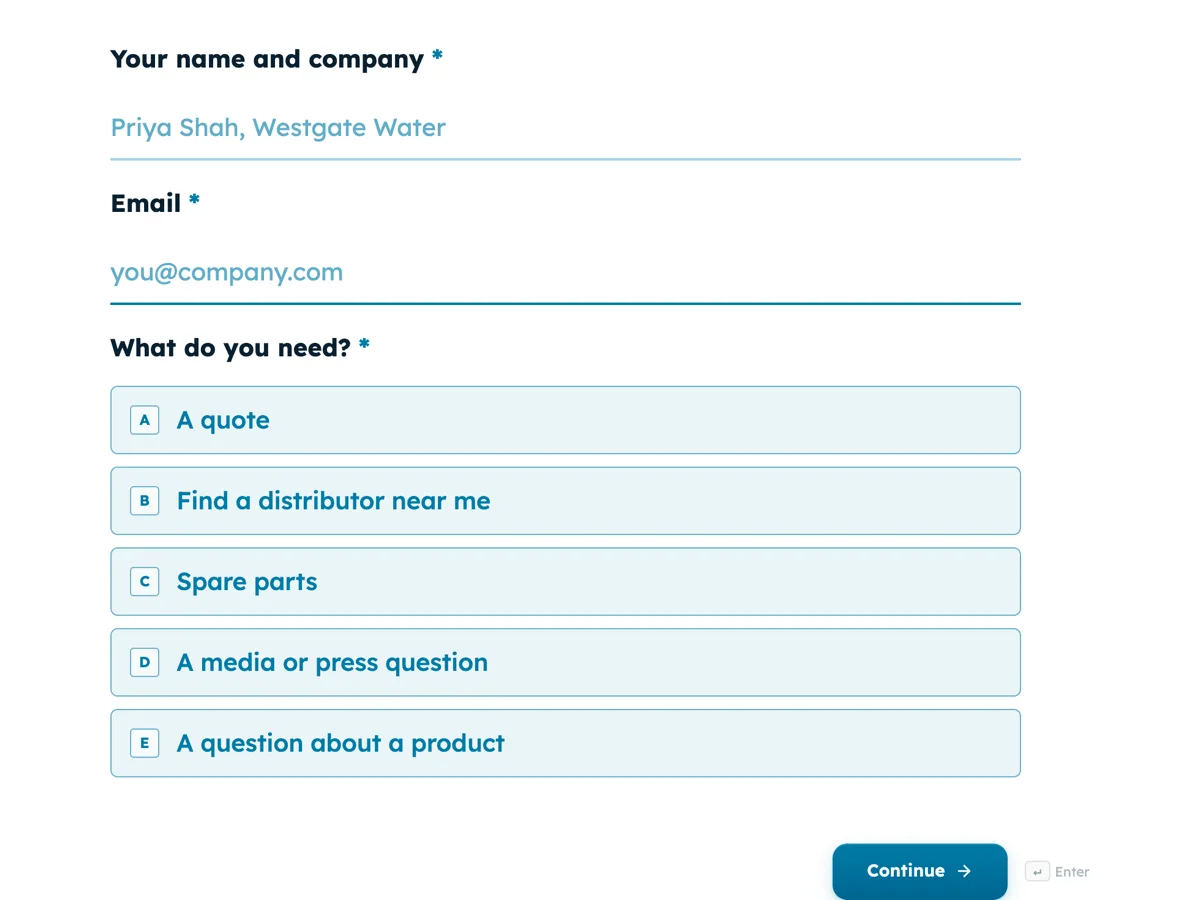
The first screen of the form. A conversational form shows one question per screen, so the remaining screens are listed in the field table below. Nothing here can be filled in or submitted, so read it as a reference and build your own from the button above.
Every field, and what it collects
The complete field list, in the order respondents meet it.
- Your name and companyShort textRequired
- EmailEmailRequired
- What do you need?Single choiceRequired
- Options: A quote · Find a distributor near me · Spare parts · A media or press question · A question about a product
- Flow rate needed, litres per minuteNumber
- ApplicationDropdown
- Options: Water and wastewater · Mining and dewatering · Food and beverage · Chemical transfer · Irrigation · Other
- How many pumps?Number
- Which country are you in?Dropdown
- Options: Australia · New Zealand · Indonesia · Malaysia · Philippines · Singapore · Somewhere else
- Pump model and serial numberShort text
- Your outlet, deadline and questionLong text
- Tell us moreLong text
- Phone, optionalShort text
What each field on this form collects
Screen 1 takes the name and company, email and one of five needs. Screens 2 to 4 belong to quotes: flow rate in litres per minute, the application and the number of pumps. Screen 5 asks the country for a distributor request and says what happens next. Screen 6 asks a spare part request for the model and serial. Screen 7 asks a journalist for the outlet, deadline and question. Screen 8 is a free text box and screen 9 an optional phone.
The rules, as the Logic tab shows them
Every route starts on screen 1. If What do you need is A quote, go to screen 2; if it is Find a distributor near me, go to screen 5; if it is Spare parts, go to screen 6; if it is A media or press question, go to screen 7; if it is A question about a product, go to screen 8. Screen 4 is set to go to screen 8, so quotes skip the distributor, parts and media screens. Screen 5 is set to End and submit. Screen 6 goes to screen 8. Screen 7 needs no setting, since screen 8 follows it.
The distributor stop screen
For a manufacturer that sells through distributors, a request for a local supplier is not a sales lead for head office, and answering it centrally only adds a day. The distributor screen asks one question, the country, explains that the distributor will be in touch and ends the form. The submission still lands in the responses table with the country, so head office can pass it on and see where demand comes from. Collecting only the contact details needed for that purpose is also good privacy practice under principles such as Australia's APPs.
How to adapt this form
A software vendor swaps flow rate and application for seats and current tools. A food manufacturer adds a wholesale path asking the business type and monthly volume. A company selling in several regions adds a rule from screen 5 sending one country to a screen with its own distributor's details.
What makes this form work
Each team gets its own fields
Quotes get flow rate, application and quantity; spare parts get model and serial; media get the outlet and deadline. Nobody answers questions meant for another team.
Distributor requests end early
The country screen ends the form after one question. The inquiry is routed to the right distributor without head office spending time on it.
Skipping is set, not guessed
Screen 4 is set to go to screen 8, so a quote never falls through into the distributor screen that follows it in order.
Questions people ask
What should a customer inquiry form include?
Who is asking and how to reach them, what kind of inquiry it is, and then the details that kind needs: product requirements for a quote, the serial for spare parts, the location for a distributor. A routing form collects these in one pass, so the first reply can answer the question.
Who should answer a quote request?
The sales team, with the technical details needed to size the product. For pumps that means flow rate, application and quantity at least. Asking for them on the form means sales can quote, or ask one focused question, instead of starting from scratch.
How do I route inquiries by country?
Ask the country on the screen where location matters, then add a jump rule for each country that needs its own screen, or end the form and pass the inquiry on. This form ends distributor requests after the country question and head office forwards them.
Can different teams be emailed different inquiries?
The email alert add-on sends every submission to one address. To send quotes to sales and parts to service, use the webhook add-on to post each submission to a tool that routes by the answer to What do you need, or have one person forward them.
Why are only the first screen questions required?
The form ends at the distributor screen for some people, and the server checks every required question on submit, including screens a jump skipped. Only the first screen, which everyone sees, has required questions, so every route can submit, including the short distributor route.
Does a number field stop impossible values?
On a conversational form, a number field does not limit what can be typed. A flow rate or quantity outside the range is only caught when the form is submitted, if a minimum or maximum is set. This form sets none, so sales checks the figures when quoting.
Build your own in about a minute
The button below opens the generator with this use case already described. Change the wording to match your own, generate, then edit anything you like.
Make one like thisOther form examples
Customer support form for an online store
A customer support form that sorts by problem answers many orders without a reply, because a customer whose parcel is not late yet is told so on the spot. This conversational version for a homewares store asks for photos only when something arrived damaged, and never asks a product question for an order number.
Support ticket form that branches by area and severity
A support ticket form should ask a billing question and a bug for different things, and treat an outage differently from a question. This conversational version for an invoicing app routes feature requests to the roadmap, asks for a phone number when nobody can work, and only asks for steps to reproduce when something is broken.
RMA form for industrial parts with every serial
An RMA form is where a return becomes a traceable record, so every serial number goes in before anything ships. This conversational version for an industrial electronics maker branches on the reason: excess stock sees the restocking fee and can cancel, and only failures in service are asked how long the units ran.
Want the steps in the builder? Read Make an inquiry form that branches, then Sort inquiries by type. For everything this generator can do, see the form maker.
Sources
Written and checked by the OneCraft team. Last checked .