Conversational form
RMA form for industrial parts with every serial
An RMA form is where a return becomes a traceable record, so every serial number goes in before anything ships. This conversational version for an industrial electronics maker branches on the reason: excess stock sees the restocking fee and can cancel, and only failures in service are asked how long the units ran.
The form itself
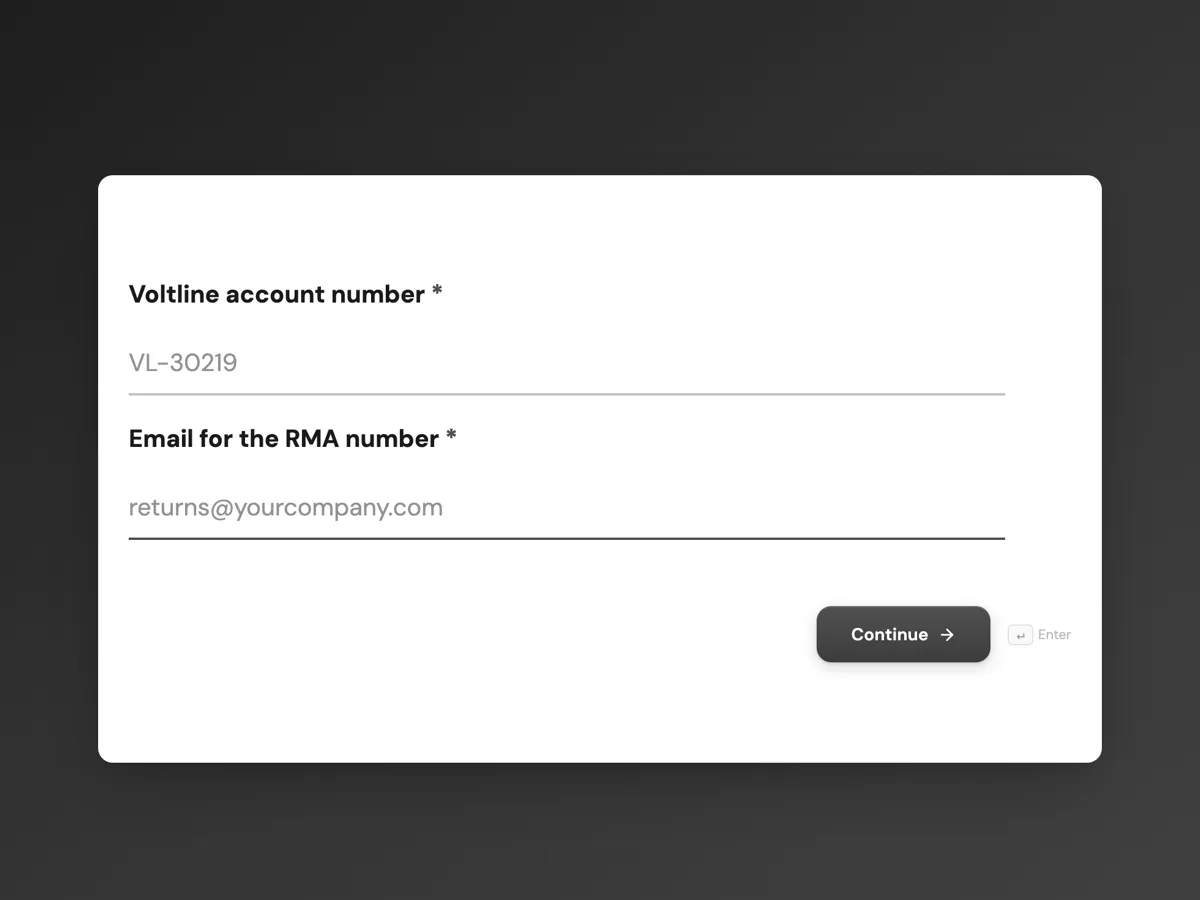
The first screen of the form. A conversational form shows one question per screen, so the remaining screens are listed in the field table below. Nothing here can be filled in or submitted, so read it as a reference and build your own from the button above.
Every field, and what it collects
The complete field list, in the order respondents meet it.
- Voltline account numberShort textRequired
- Email for the RMA numberEmailRequired
- Why are the units coming back?Single choiceRequired
- Options: Dead on arrival · Failed in service · Wrong part shipped · Excess stock, unused
- Go ahead with the return at a 15 percent restocking fee?Single choice
- Options: Yes, continue · No, cancel this return
- Units being returnedTable
- Columns: Serial number · Model · Fault or reason
- Firmware version on the unitsShort text
- How long were they in service before failing?Dropdown
- Options: Under 1 month · 1 to 6 months · 6 to 12 months · 1 to 3 years · Over 3 years
- Describe the fault and the operating conditionsLong text
- Were the units installed by a licensed electrician?Single choice
- Options: Yes · No · Not sure
- Ship from addressAddress
- Date the goods will be readyDate
- Contact name and phone for the courierShort text
What each field on this form collects
Screen 1 takes the account number and the email the RMA number goes to. Screen 2 asks the reason. Screen 3 states the restocking fee and asks whether to continue. Screen 4 is a five row table of serial, model and fault. Screen 5 asks the firmware version, screen 6 the time in service, screen 7 the fault and conditions and screen 8 who installed the units. Screens 9 to 11 take the ship from address, the ready date and the courier contact.
The rules, as the Logic tab shows them
On screen 2: if Why are the units coming back is Excess stock, unused, go to screen 3; otherwise go to screen 4. On screen 3: if Go ahead with the return is No, cancel this return, End and submit. On screen 5: if the reason is Failed in service, go to screen 6; otherwise go to screen 7. The last rule uses an answer from screen 2 three screens later, which a jump rule can do because it reads any earlier screen.
The excess stock path
A unit returned because the customer ordered too many is a commercial return, not a quality problem, and most manufacturers charge for restocking it. Showing the fee and the conditions before any serials are typed saves a customer ten minutes of data entry on a return they would cancel. Choosing No submits what was entered so far, so sales can see who considered a return. Quality management systems such as ISO 9001 expect nonconforming products to be identified and controlled, which is why the serial table is the centre of every other path.
How to adapt this form
A medical device company adds the patient safety question and a rule that sends any yes to a screen with the vigilance contact. A distributor returning on behalf of an end user adds the end user's site. A company that ships advance replacements adds a screen asking whether one is needed and the delivery address for it.
What makes this form work
The fee comes before the data entry
Excess stock sees the 15 percent fee on screen 3, before the serial table. A customer who would cancel finds out before typing every serial number.
Every serial in a table
Five rows of serial, model and fault. Each unit can be traced through receiving, testing and credit, which is the point of an RMA.
Age only for failures
Time in service is asked only when the reason is Failed in service. Dead on arrival and wrong parts skip a question that does not apply to them.
Questions people ask
What does RMA stand for?
Return material authorisation, sometimes return merchandise authorisation. It is the number a supplier issues to approve a return before the goods are shipped, so each returned unit can be matched to a customer, a reason and a credit or repair when it arrives.
What details go on an RMA form?
The customer account, a contact for the RMA number, the return reason, every serial number with its model and fault, firmware or version, when and how it failed, who installed it, where it ships from and when it will be ready. Branching keeps the form short for simple returns.
Is there a restocking fee for returns?
Many manufacturers charge one for unused stock returned for commercial reasons, often 10 to 25 percent, and none for faulty or wrongly shipped goods. The fee and its conditions should be in the terms of sale and shown before the return is requested, as this form does on screen 3.
Can the serial table hold more than five units?
A table field shows the fixed number of rows set in the form and cannot grow while it is being filled in. For larger returns, raise the row count in the builder before publishing, or submit one RMA request per batch of five units.
Why are most RMA questions optional?
The excess stock path can end on screen 3. The server checks every required question when the form is sent, including screens a jump skipped, so required questions after screen 2 would block a cancellation. Only the first two screens, which everyone answers, are required.
Does the form issue the RMA number itself?
No. The form collects the request. The returns team reviews it and emails the RMA number, as the thank you screen says. A webhook can post each request to the returns system, which can create the number automatically and send it back to the email on screen 1.
Build your own in about a minute
The button below opens the generator with this use case already described. Change the wording to match your own, generate, then edit anything you like.
Make one like thisOther form examples
Support ticket form that branches by area and severity
A support ticket form should ask a billing question and a bug for different things, and treat an outage differently from a question. This conversational version for an invoicing app routes feature requests to the roadmap, asks for a phone number when nobody can work, and only asks for steps to reproduce when something is broken.
Customer inquiry form routed by need
A customer inquiry form that routes by need puts a quote in front of sales and a spare part in front of service on the first day, instead of waiting in a general inbox. This conversational version for a pump manufacturer asks each type of inquiry only the questions its team needs.
Survey with skip logic, rule by rule
Skip logic removes whole sections a respondent cannot answer, so a customer who has never used the app never sees four app questions. This cafe survey uses two rules to skip the app and catering sections, and everyone meets the same closing questions on satisfaction, one change and how often they visit.
Want the steps in the builder? Read Build an RMA form, then Tables in a conversational form. For everything this generator can do, see the form maker.
Written and checked by the OneCraft team. Last checked .