Conversational form
Survey with skip logic, rule by rule
Skip logic removes whole sections a respondent cannot answer, so a customer who has never used the app never sees four app questions. This cafe survey uses two rules to skip the app and catering sections, and everyone meets the same closing questions on satisfaction, one change and how often they visit.
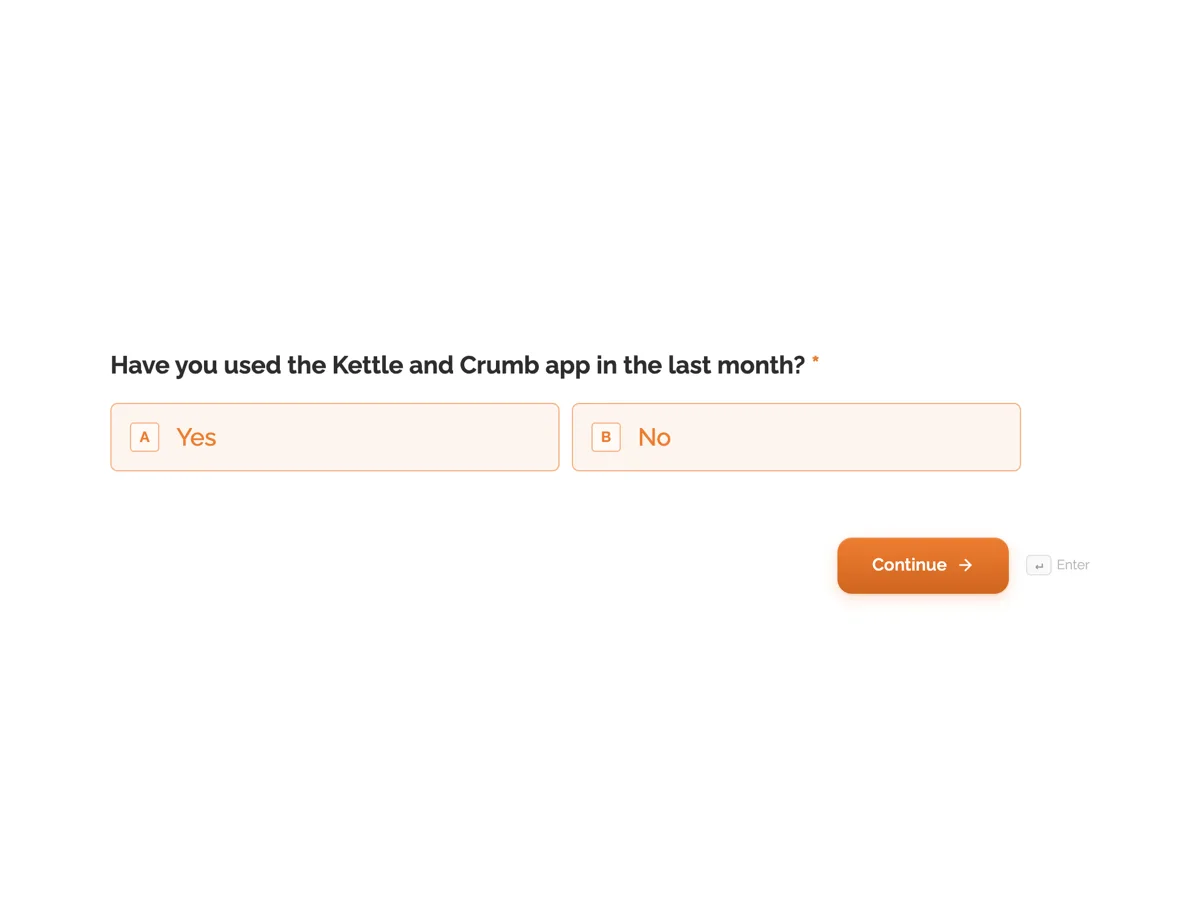
The form itself
The first screen of the form. A conversational form shows one question per screen, so the remaining screens are listed in the field table below. Nothing here can be filled in or submitted, so read it as a reference and build your own from the button above.
Every field, and what it collects
The complete field list, in the order respondents meet it.
- Have you used the Kettle and Crumb app in the last month?Single choiceRequired
- Options: Yes · No
- How easy was it to order in the app?Single choice
- 1 is very hard, 5 is very easy.
- Options: 1 · 2 · 3 · 4 · 5
- Which app features have you used?Multiple choice
- Options: Order ahead · Loyalty stamps · Saved favourites · Gift cards
- Was your order ready when you arrived?Single choice
- Options: Always · Usually · Sometimes · Rarely
- One thing that would make the app betterLong text
- Have you ordered catering from us?Single choiceRequired
- Options: Yes · No
- What was the catering for?Single choice
- Options: Work meeting · Family event · School or club · Something else
- How would you rate the catering?Single choice
- 1 is poor, 5 is excellent.
- Options: 1 · 2 · 3 · 4 · 5
- Anything about the catering we should change?Long text
- Overall, how satisfied are you with Kettle and Crumb?Single choiceRequired
- 1 is very dissatisfied, 5 is very satisfied.
- Options: 1 · 2 · 3 · 4 · 5
- If you could change one thing, what would it be?Long text
- How often do you visit?Single choiceRequired
- Options: Most days · Every week · A few times a month · Less often
What each field on this form collects
Screen 1 asks whether the customer used the app in the last month. Screens 2 to 5 are the app section: ease of ordering on a 1 to 5 scale, features used, whether orders were ready and one improvement. Screen 6 asks whether they ordered catering. Screens 7 to 9 are the catering section: the occasion, a rating and a comment. Screens 10 to 12 are for everyone: overall satisfaction, one change and visit frequency.
The two rules
On screen 1: if Have you used the app in the last month is No, go to screen 6. On screen 6: if Have you ordered catering is No, go to screen 10. That is the whole logic. Every other screen follows in order, so an app user who has never ordered catering answers screens 1 to 6 and then 10 to 12, and someone who has done neither answers five questions in total. Rules run only on the screen they belong to, and a jump to a deleted screen is ignored, which is why it is worth opening the Logic tab after editing screens.
What skipping does to your results
A skipped section produces blank answers for those people, not zeros, and that is the point: an app rating from someone who never used the app would be noise. When reporting, divide app ratings by the number of app users, not by everyone who took the survey. The responses export to CSV with one column per question, and blank cells show who skipped. AAPOR and Pew Research both stress that questionnaire length and relevance affect data quality; skipping irrelevant sections is the simplest way to keep a survey short.
How to adapt this form
A gym swaps the app for classes and catering for personal training, keeping the same two rule shape. A software company adds a third section for an integration and a third rule. A survey that needs a section to show only for a combination of answers can use a rule with several conditions joined by All conditions must match.
What makes this form work
Two rules, not twenty
One rule per section is all a skip pattern needs. Each rule sits on the screen with the filter question and points past the section, which keeps the Logic tab easy to check.
Filters are required, sections are not
The two filter questions and the closing questions are required, because everyone sees them. The app and catering questions are optional, because many people never reach them.
A shared ending
Everyone answers satisfaction, one change and visit frequency. Those three columns can be compared across the whole sample, whatever path each person took.
Questions people ask
What is skip logic in a survey?
Rules that send a respondent past questions that do not apply to them, based on an earlier answer. In this survey, saying no to using the app skips the four app questions. Skip logic keeps surveys short and stops people answering questions about things they have not used.
Does skip logic change my results?
It improves them by removing answers from people who could not give a meaningful one. It also means each section has a smaller base. Report section results against the number of people who saw that section, and the filter question tells you who that was.
How do I test every path?
List the paths, here four: app and catering, app only, catering only, and neither, then fill the survey once for each using the form's demo link. Check each one reaches the closing questions and submits. Testing after every edit catches rules pointing at moved screens.
Is skip logic the same as branching?
Skip logic usually means jumping past a section and coming back to the main path. Branching usually means sending people down different paths that may end differently. The same jump rules do both; this survey only skips, so every respondent ends on the same three closing questions.
Can a skipped question be required?
It should not be. The server checks every required question when the survey is sent, including on screens a rule skipped, so a required question in a skipped section would stop the survey being submitted. Required questions belong on screens everyone sees.
Can the survey show or hide single questions?
No. Logic in a conversational form jumps between screens; it cannot show or hide individual fields, pipe answers into later questions or calculate scores. Put each question that might be skipped on its own screen, as this survey does, so a rule can jump past exactly the questions that do not apply.
Build your own in about a minute
The button below opens the generator with this use case already described. Change the wording to match your own, generate, then edit anything you like.
Make one like thisOther form examples
Product recommendation quiz built from jump rules
A product recommendation quiz works when each answer narrows the shelf, and four questions are enough to point most people at one product. This coffee roaster quiz uses three jump rules, with no scoring, to land every path on one of four blend screens.
Facilities request form with a safety hazard path
A facilities request form sends a spill, a cold meeting room and a broken chair to three different people, with the floor, location and urgency each needs. This conversational version for a multi tenant office building sends anyone reporting a safety hazard straight to a screen telling them to call security.
Customer inquiry form routed by need
A customer inquiry form that routes by need puts a quote in front of sales and a spare part in front of service on the first day, instead of waiting in a general inbox. This conversational version for a pump manufacturer asks each type of inquiry only the questions its team needs.
Want the steps in the builder? Read Build a survey that skips sections, then Read the answers and export them. For everything this generator can do, see the form maker.
Written and checked by the OneCraft team. Last checked .