Conversational form
Product recommendation quiz built from jump rules
A product recommendation quiz works when each answer narrows the shelf, and four questions are enough to point most people at one product. This coffee roaster quiz uses three jump rules, with no scoring, to land every path on one of four blend screens.
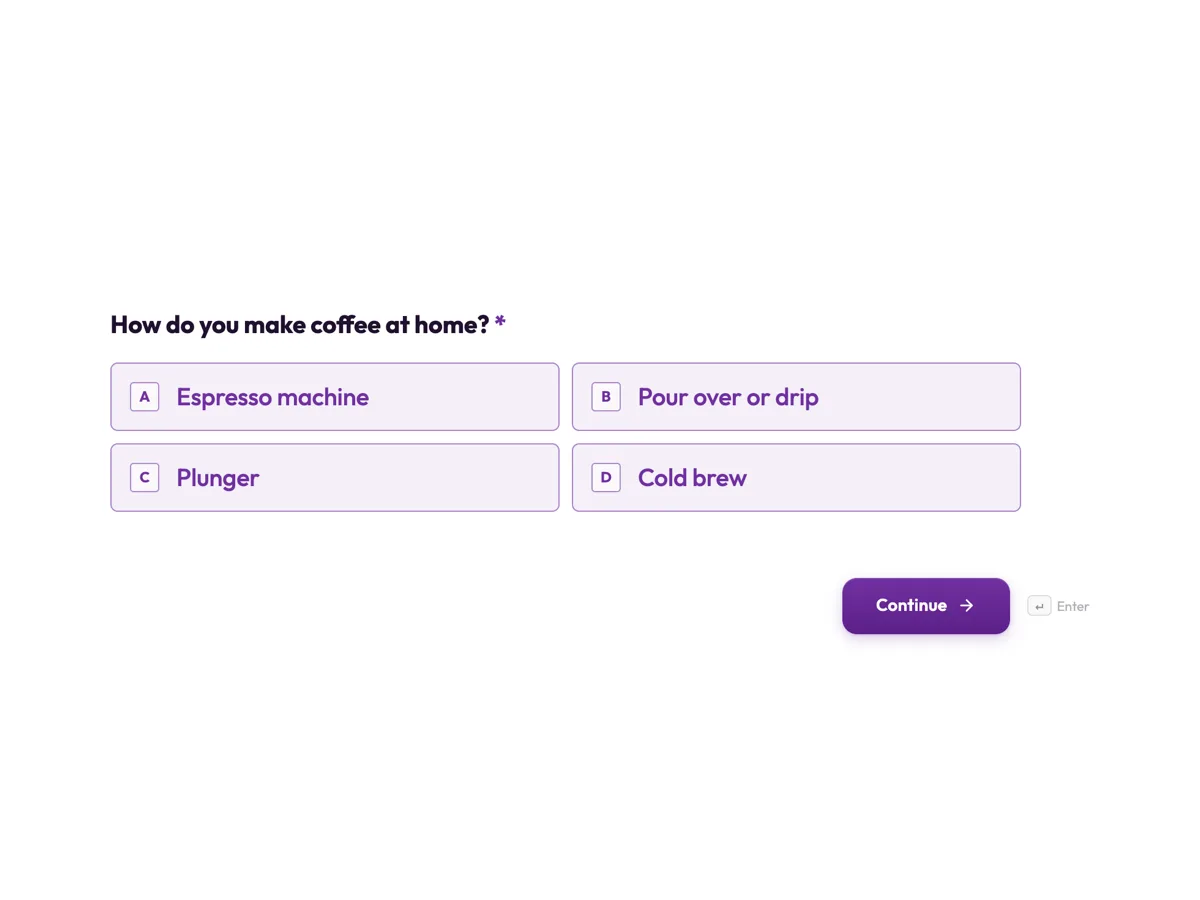
The form itself
The first screen of the form. A conversational form shows one question per screen, so the remaining screens are listed in the field table below. Nothing here can be filled in or submitted, so read it as a reference and build your own from the button above.
Every field, and what it collects
The complete field list, in the order respondents meet it.
- How do you make coffee at home?Single choiceRequired
- Options: Espresso machine · Pour over or drip · Plunger · Cold brew
- How do you usually drink it?Single choiceRequired
- Options: With milk · Black
- Which sounds best?Single choiceRequired
- Options: Chocolatey and nutty · Fruity and bright · Bold and smoky
- Beans or ground?Single choice
- Options: Whole beans, I grind · Ground for my method
- Email for a 15 percent first bag code, optionalEmail
What each field on this form collects
Screen 1 asks the brew method, screen 2 milk or black and screen 3 the taste from three descriptions. Screen 4 asks beans or ground and offers an optional email for a first bag code. Screens 5 to 8 hold no questions: each is one recommendation, a heading naming the blend and a paragraph with tasting notes and a brew recipe for it.
The rules, as the Logic tab shows them
All rules sit on screen 4, once every answer is known. First: if How do you make coffee at home is Cold brew, go to screen 8. Second, with All conditions must match: if the method is Espresso machine and How do you usually drink it is With milk, go to screen 5. Third: if Which sounds best is Fruity and bright, go to screen 6. Otherwise, go to screen 7. Screens 5, 6 and 7 are set to End and submit; screen 8 is last, so it submits anyway. Order matters: a cold brew drinker who likes fruity coffee gets the cold brew blend, because the first matching rule wins.
Jumps, not points
Many quiz tools score answers and map totals to outcomes. Conversational logic here does not calculate scores, and for a small catalogue it does not need to. Three rules read like the advice a barista would give, and anyone can check them in the Logic tab. Keeping each path to four questions matters too: every question a quiz adds loses some people before the result. If the business makes claims about its coffee, they should be accurate; consumer protection rules in Australia and elsewhere cover what a recommendation screen says just as they cover a product page.
How to adapt this form
A skincare brand asks skin feel, concern and routine length and jumps to four routines. A bike shop asks riding surface, distance and budget and jumps to three bikes. A shop with more products than rules can comfortably hold groups them into a few families first and names each family on its recommendation screen. Whatever the products, test every path with the demo link before publishing, and keep the number of outcomes small enough that each rule can be read and checked in a minute.
What makes this form work
All answers first, rules last
Every rule sits on screen 4, after the four questions. Each rule can read any earlier answer, so the logic stays in one place and is easy to check.
One rule uses two conditions
Espresso with milk joins two answers with All conditions must match. A black espresso drinker is not sent to a blend roasted for milk.
Results that teach
Each recommendation screen gives a brew recipe as well as a name. The customer leaves with something useful even if they do not buy today.
Questions people ask
How many questions should a product quiz have?
Usually three to six. Each question should change the recommendation; a question that never changes the result only adds drop off. This quiz asks four, and the fourth is mostly practical, beans or ground, with the email optional. Watch where people leave a quiz in testing and cut the question before it.
Should a quiz ask for an email before showing the result?
Holding the result hostage for an email annoys people and attracts fake addresses. This quiz asks for the email optionally, before the result, with a discount as the reason. The recommendation shows either way, which earns more trust and, in practice, more genuine addresses from people who liked their match.
Can one quiz recommend two products?
With jump rules each path ends on one screen, but a recommendation screen can name two products, such as a main blend and an alternative. Keep it to one clear first choice so the customer is not left deciding again.
Can the quiz score answers instead of using rules?
No. Conversational logic jumps between screens; it does not add points or calculate totals. For a small catalogue, a few clear rules do the job. A quiz that genuinely needs scoring would need another tool, but most product quizzes with a handful of outcomes do not.
Does the shop see which blend each person got?
Yes, indirectly. The responses table shows each person's answers, and the rules decide the blend, so the answers tell the shop which screen they saw. Exported, they show which blends the quiz recommends most, which is useful when planning the next roast.
Can the recommendation screen link to the product page?
The paragraph text on a screen is not a link. The thank you screen's button can point to a web address, such as the shop page, and the redirect add-on can send people to a page after submitting, though then the thank you screen is skipped.
Build your own in about a minute
The button below opens the generator with this use case already described. Change the wording to match your own, generate, then edit anything you like.
Make one like thisOther form examples
Product return form with separate faulty and change of mind paths
A product return form must treat a faulty item as a consumer guarantee claim, not as a change of mind, because the Australian Consumer Law gives faults remedies that a store's returns policy cannot take away. This conversational version for an outdoor gear store sends each reason down its own path, and only applies the 30 day window to change of mind.
Customer support form for an online store
A customer support form that sorts by problem answers many orders without a reply, because a customer whose parcel is not late yet is told so on the spot. This conversational version for a homewares store asks for photos only when something arrived damaged, and never asks a product question for an order number.
Help desk request form that routes by problem
A help desk request form that asks the right follow up for each problem saves the first reply, because the technician starts with the detail they would otherwise have to ask for. This conversational version also stops anyone whose work has stopped completely and tells them to phone, while still logging the outage.
Want the steps in the builder? Read Build a quiz with jump rules, then Design the quiz welcome screen. For everything this generator can do, see the form maker.
Sources
Written and checked by the OneCraft team. Last checked .