Conversational form
Employee pulse survey that can be trended month to month
A pulse survey only works if the questions never change, because the point is the line on the chart, not the answer this month. These six statements are the whole instrument, the team question is the only segment, and the open questions are optional so the six always get answered.
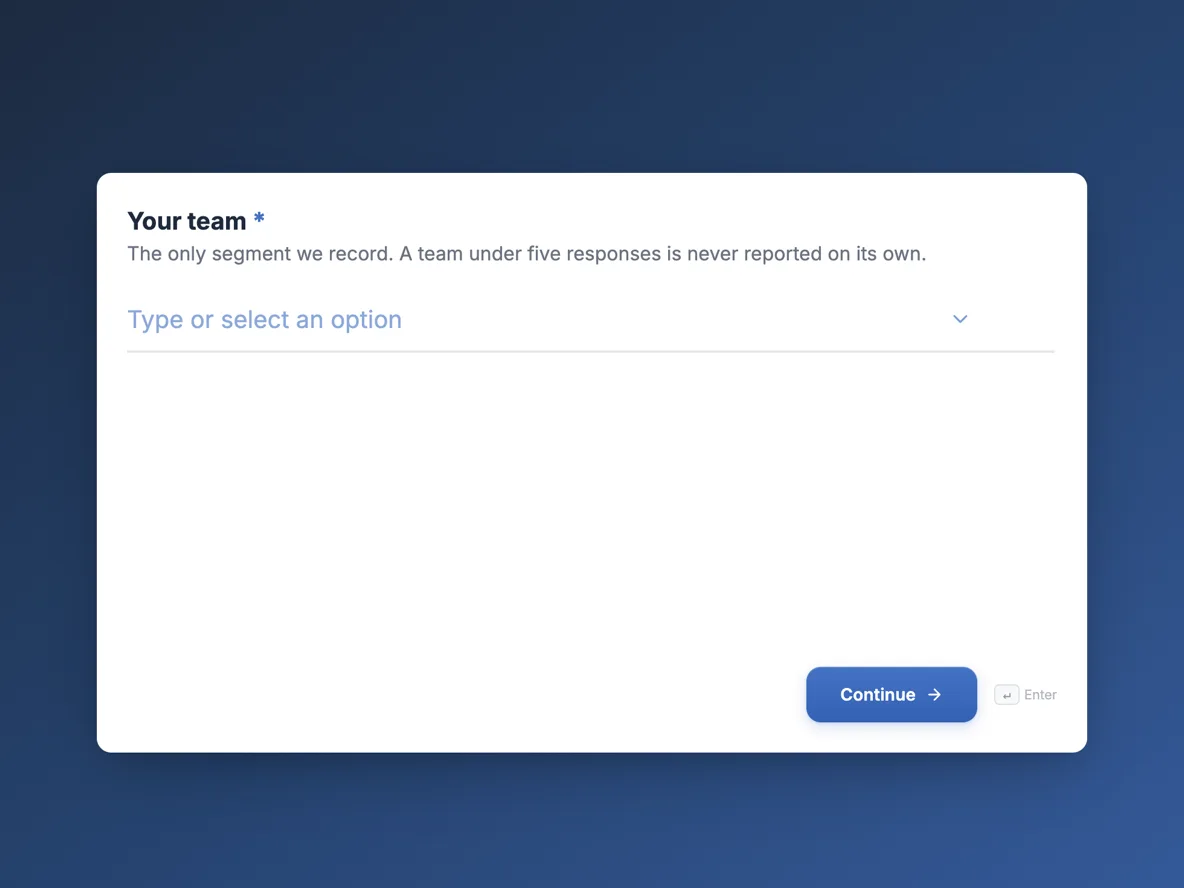
The form itself
The first screen of the form. A conversational form shows one question per screen, so the remaining screens are listed in the field table below. Nothing here can be filled in or submitted, so read it as a reference and build your own from the button above.
Every field, and what it collects
The complete field list, in the order respondents meet it.
- Your teamDropdownRequired
- The only segment we record. A team under five responses is never reported on its own.
- Options: Warehouse · Drivers · Dispatch · Office · Leadership
- This monthRating gridRequired
- The same six statements every month. Answer for this month, not for the job in general.
- Statements:
- I know what is expected of me
- I have the tools I need
- My manager listens
- I feel safe raising problems
- I would recommend working here
- I see myself here in a year
- My workload this month wasSingle choiceRequired
- Options: Too light · About right · Heavy but manageable · Unsustainable
- One thing that would make next month betterLong text
- Did anything happen this month we should know about?Long text
- Is it OK for a manager to follow up with your team about these answers?Single choiceRequired
- Follow up happens at team level only, never about one person's answers.
- Options: Yes · No
Question banks built on this form
Why the questions must not change
A pulse survey is an instrument, and you do not recalibrate an instrument mid-experiment. The six statements here borrow their shape from the engagement research tradition, clear expectations, tools, manager behaviour, psychological safety, advocacy and intent to stay, but the specific wording matters less than the wording being frozen. Month four minus month three is the entire product. Swap one statement and its line on the chart restarts from zero, which is why the welcome screen advertises that these are the same six as last month rather than apologising for it.
How to trend it in a spreadsheet
The grid exports as one column, statements paired with answers and joined by pipes. Split that column, convert the answers to their 1 to 5 numbers, and average each statement per month, suppressing any team with fewer than five rows. Six statements across twelve months is a 72 cell table, small enough to chart in any spreadsheet, and the workload question trends the same way as a percentage answering unsustainable. The month a line moves half a point is the month to read the open comments carefully.
How to adapt this form
A quarterly version can carry twelve statements because it asks for two minutes four times a year rather than twelve. A project team version keeps the grid but swaps the team dropdown for a project phase question, which turns the trend line into a health curve for the delivery. Adding a manager rating grid is possible but changes the contract: say clearly who sees it, or watch the response rate answer for you. Whatever you add, keep the open questions optional so the six statements never get abandoned halfway.
What makes this form work
Six statements, one grid, one screen
The entire instrument fits in a single rating grid a warehouse worker can finish on a phone at the depot. Nothing about it requires a desk or a quiet ten minutes, which is why the drivers answer it at all, and the monthly trend has the whole company in it rather than the office.
The suppression rule is printed where staff can read it
The team dropdown says a team under five responses is never reported alone, and the thank-you screen repeats it. Anonymity claims usually live in an HR policy nobody opens; here the rule sits on the two screens where the trust is actually spent.
Both open questions are optional on purpose
The six statements are the data; the comments are the colour. Making the free text optional means the grid gets completed even by someone with thirty seconds and nothing to add, so the trend never develops holes where the busy months should be.
Questions people ask
How many questions should a pulse survey have?
Five to eight, fixed, and answerable in under two minutes. This form is six screens with one grid doing most of the work. A rotating extra question is tempting, but accept the trade before adding it: whatever rotates cannot be trended, and the trend is what a pulse survey is for.
Monthly or quarterly?
Monthly suits a company of this size with a two minute instrument, because twelve data points a year make a real line. Quarterly suits longer surveys and slower-moving organisations. Published guidance from the engagement platforms converges on the same principle: survey only as often as you can act on the results.
How can it be anonymous when it asks for your team?
Because a team is a crowd. Five teams, no name, no login, no email, and the thank-you screen states the suppression rule: no team is reported below five responses. The form records answers and nothing else, so the people lead applies that rule when building the monthly report. Anonymity that is explained is believed, and believed anonymity is what makes the safety statement worth asking.
Why is unsustainable one of the workload options?
Because a 1 to 5 workload scale lets people hide at 4. The four bands here are plain words, and the last one is an alarm anyone can pull without drafting a complaint. The percentage of the company choosing it, tracked monthly, is the earliest overwork signal a small business can buy for two minutes a month.
Who sees the written comments?
The people lead reads the two open questions; managers see only the aggregated grid for their team, and only where five or more answered. The final screen asks whether a manager may follow up at team level at all, which keeps the follow-up conversation consensual rather than forensic.
What response rate should you expect?
Seventy percent and rising is the healthy pattern for a monthly pulse in a company of sixty. Falling rates are themselves data: they follow surveys that produced no visible action, or anonymity that stopped being believed. Sharing results at the Friday stand up, as the thank-you screen promises, is what keeps the rate up.
Build your own in about a minute
The button below opens the generator with this use case already described. Change the wording to match your own, generate, then edit anything you like.
Make one like thisOther form examples
Exit interview form
Exit interviews collect polite nothing when the leaver cannot tell who will read the answers. This one settles that in the first screen, separates the thing that started the search from the thing that finished it, and ends by asking what may be shared and with whom. It is conversational, because fourteen questions asked one at a time get longer written answers than the same fourteen stacked on a page.
Remote work survey template: setup, focus and connection
A remote work survey has to show how people actually split their week and what each place is good for, before a company sets or changes its hybrid policy. This template asks days remote and commute, checks the home setup, compares focus at home and in the office, and asks what the office is for.
Manager feedback survey with twelve behaviours rated by frequency
A manager feedback survey lets a team tell its manager, anonymously, which everyday behaviours help them work and which get in the way. This one rates twelve observable behaviours by how often they happen, adds one to ones, development and workload, and ends with one thing to keep and one to change.
Want the steps in the builder? Read Create a conversational form with AI, then Control who can fill in your form. For everything this generator can do, see the form maker.
Sources
Written and checked by the OneCraft team. Last checked .