Classic form
Equipment fault report form for a machine shop
An equipment fault report form tells maintenance which machine is faulty, what is wrong, when it was noticed, how long it has been down, who was running it, whether it is isolated and how urgent it is. This machine shop version adds a photo and sends each report on to the maintenance system.
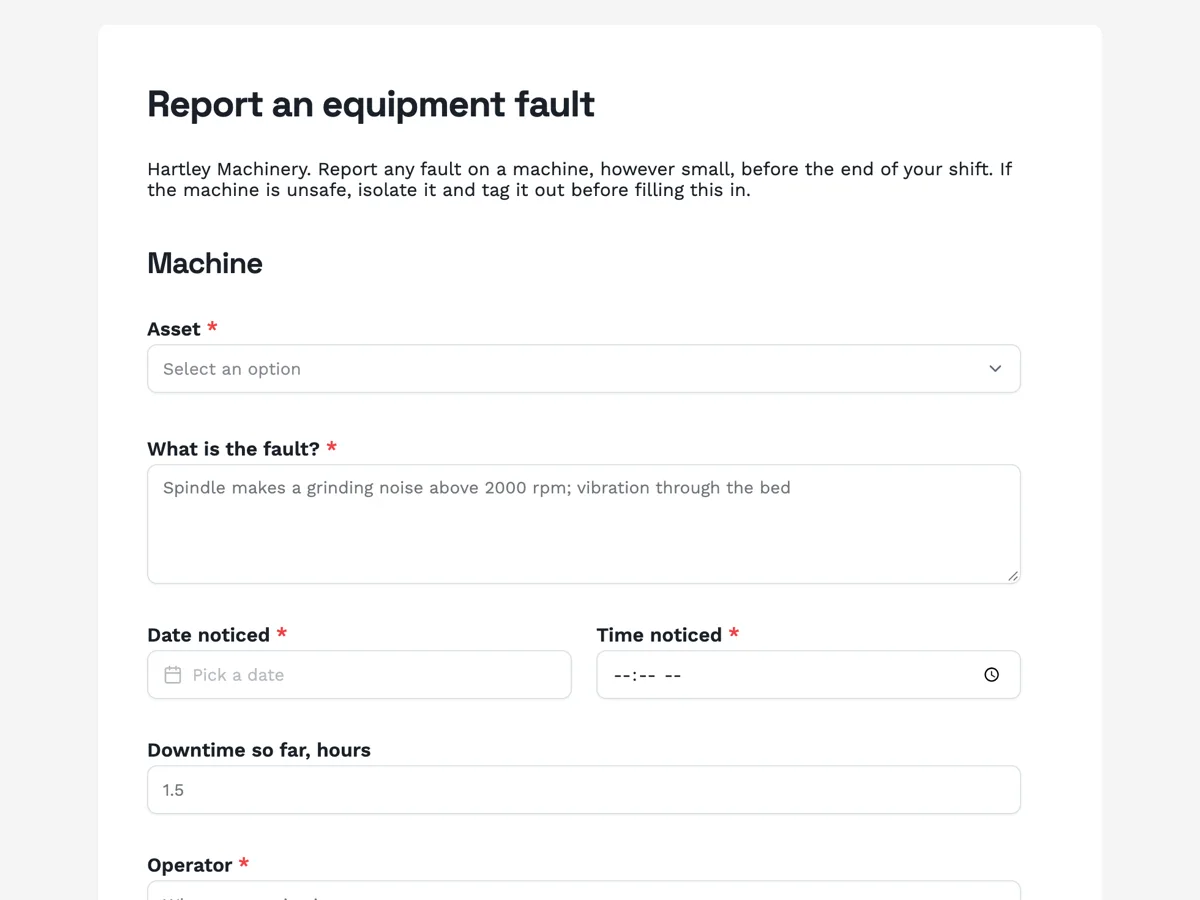
The form itself
A static copy of the finished form, exactly as it renders. Nothing here can be filled in or submitted, so read it as a reference and build your own from the button above.
Every field, and what it collects
The complete field list, in the order respondents meet it.
- AssetDropdownRequired
- Options: CNC lathe L1 · CNC mill M2 · Press brake PB1 · Guillotine G1 · Bandsaw B3 · Overhead crane OC1 · Compressor C2
- What is the fault?Long textRequired
- Date noticedDateRequired
- Time noticedTimeRequired
- Downtime so far, hoursNumber
- OperatorShort textRequired
- Isolated and tagged out?Single choiceRequired
- Options: Yes, isolated and tagged · No, still safe to run · Not sure, please check
- Photo of the faultPhoto upload
- With the machine isolated. Include the asset label if you can.
- How urgent is it?Single choiceRequired
- Options: Stopping production now · Slowing production · Can wait for the next service
Machine
Safety and priority
What each field on this form collects
The asset comes from a list of seven machines, followed by a long text describing the fault. Date and time noticed share a row, then a number records hours of downtime so far and a short text names the operator. A single choice asks whether the machine is isolated and tagged out, with an option for not sure. A photo field asks for the asset label in the shot, and a last single choice records urgency in production terms: stopping production, slowing it, or able to wait.
Isolate first, report second
The intro tells the operator to isolate and tag an unsafe machine before reporting it, and the order matters. WorkSafe Victoria has published an alert on isolation, de energising and lockout during plant maintenance, because people are hurt when a machine that someone thought was off starts. The tag out question has a Not sure answer on purpose. An operator who is unsure should say so, and maintenance should go and check, rather than the form forcing a confident yes or no.
Sending faults to the maintenance system
The webhook add-on posts each submission once, as JSON, to an address the workshop sets, so a maintenance system or a small script can turn the report into a work order. The payload carries the answers keyed by field label. Because the webhook has no retry, a maintenance system that is offline at the moment of submission will miss that report, so the responses table remains the full record and maintenance checks it at the two daily reviews mentioned on the thank you screen.
How to adapt this form
A hospital biomedical team replaces the machine list with device types and adds the ward and the patient impact. A gym adds the equipment zone and a question about whether the unit has been signed out of order. A school IT team adds the room and whether a class was affected.
What makes this form work
Urgency in production terms
Stopping production, slowing production, or can wait. Operators answer what they see, and maintenance gets a priority it can act on without interpreting words like high or low.
Not sure is allowed
The isolation question accepts not sure, please check. A confident wrong answer about isolation is more dangerous than an honest uncertain one.
Asset label in the photo
The photo description asks for the asset label in frame. A picture of a gearbox means little until it is tied to the right machine.
Questions people ask
What should an equipment fault report include?
The machine or asset, a description of the fault, when it was noticed, any downtime, who was operating it, whether it has been isolated and tagged out, a photo and how urgent it is. Clear reports save maintenance a trip to ask questions before they start.
When should a faulty machine be tagged out?
Whenever it is unsafe to use, or when nobody is sure. Isolate it from its energy sources, fit a danger tag and, where your procedures require, a personal lock. The tag stays until a competent person clears the machine. Follow your site's isolation procedure.
Can the form send faults to a maintenance system?
Yes, through the webhook add-on, which posts each submission once as JSON to an http or https address. It does not retry if the receiving system is down, so check the responses table as well. The email alert add-on can also notify one address.
Should small faults be reported?
Yes. Small faults such as a new noise, a slow guard or a leaking fitting are early warnings, and fixing them is cheaper than a breakdown. Reporting every fault also builds a history that shows which machines fail most and when a replacement is cheaper than another repair.
Who decides when a machine goes back into service?
A competent person, usually the fitter or maintenance supervisor, after the fault is fixed and tested. The operator who reported it should not remove the tag. The thank you screen says the tag stays until a fitter clears the machine.
Can operators report faults from the shop floor?
The form works in a phone browser, so an operator can report from the machine with a photo. If phones are not allowed on the floor, a tablet at the supervisor's desk or a kiosk near the exit works just as well.
Build your own in about a minute
The button below opens the generator with this use case already described. Change the wording to match your own, generate, then edit anything you like.
Make one like thisOther form examples
IT incident report form with a timeline
An IT incident report form records which service failed, how severe it was, when it was detected and how many customers it touched, then a timeline, the root cause, how service came back and what will change. This version is written as a blameless review, so it asks why decisions made sense at the time.
Daily vehicle inspection checklist with 20 items
A vehicle inspection checklist walks the driver around the car and then inside it: tyres, wheels, lights, glass, wipers, mirrors, horn, seatbelts, brakes, warning lights, fluids, body, doors and safety kit. This fleet version marks each of 20 items OK or Fault and ends with a plain safe to drive question.
Security incident report form for event security
A security incident report form records what kind of incident it was, when and where, who was involved, what happened in order, whether police came and anyone was hurt, and where the CCTV is. This event security version also takes photos and the attending officer's signature.
Want the steps in the builder? Read Send faults to maintenance by webhook, then Photo, time and choice fields. For everything this generator can do, see the form maker.
Written and checked by the OneCraft team. Last checked .