Conversational form
Waitlist signup form that tells people where they stand
A waitlist collects the one thing a launch cannot buy later, a list of people who asked first. This form asks eight questions in under a minute, promises a place number by email, and uses one screen to ask for the single referral that moves the list along.
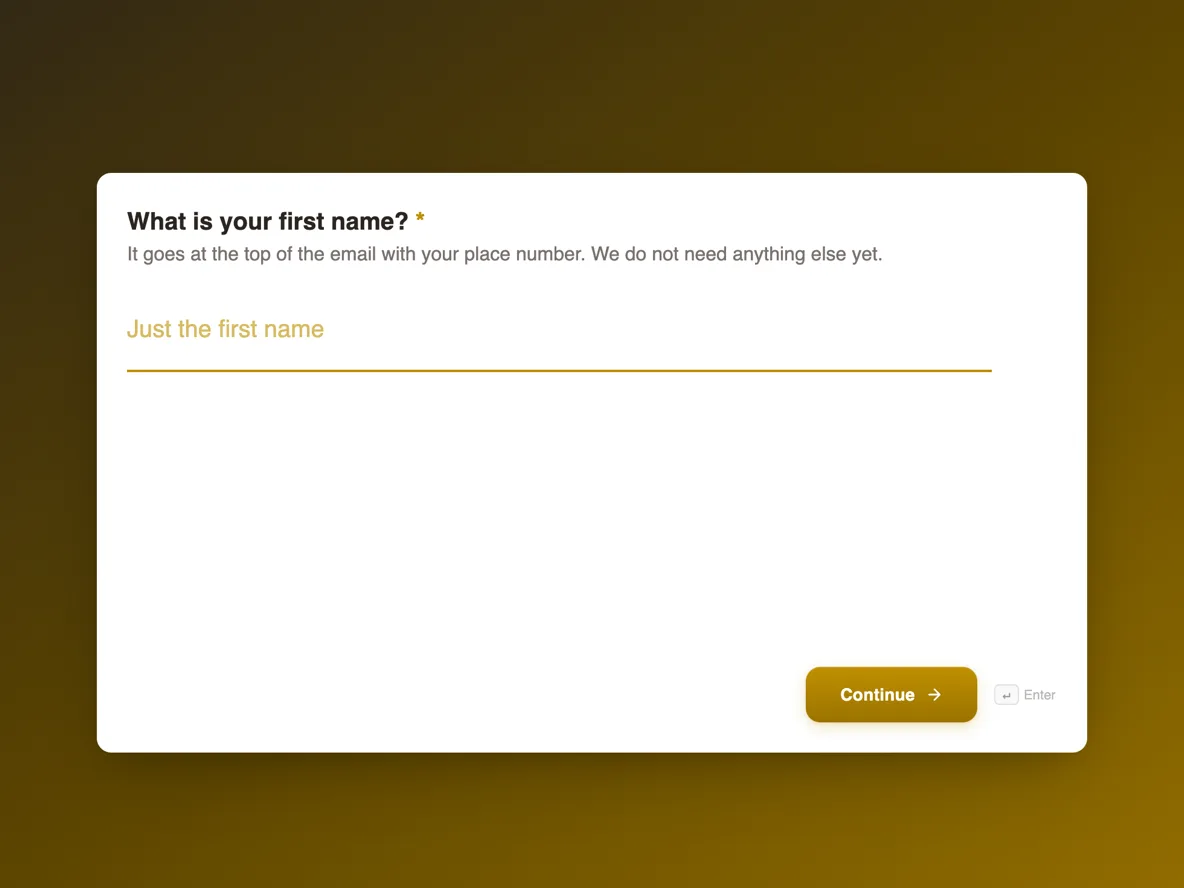
The form itself
The first screen of the form. A conversational form shows one question per screen, so the remaining screens are listed in the field table below. Nothing here can be filled in or submitted, so read it as a reference and build your own from the button above.
Every field, and what it collects
The complete field list, in the order respondents meet it.
- What is your first name?Short textRequired
- It goes at the top of the email with your place number. We do not need anything else yet.
- Where should we send your place number?EmailRequired
- Which suburb are you in?DropdownRequired
- We can only deliver where the van goes. Pick Somewhere else and we will add your suburb to the expansion list.
- Options: Marrickville · Newtown · Dulwich Hill · Summer Hill · Leichhardt · Somewhere else
- How many loaves a week?Single choiceRequired
- This is how we plan the ovens. You can change it before your first delivery.
- Options: One · Two · Three or more
- Which loaf first?Single choice
- Skip it if you cannot decide. Surprise me is a real option the bakers enjoy.
- Options: Country white · Wholemeal · Seeded rye · Surprise me
- Who told you about us?Short text
- If someone sent you here, name them and they move up the list when you join.
- Can we email you about the launch?Multiple choice
- Tick what you actually want. Being on the waitlist does not put you on a mailing list.
- Options: Launch news and dates · Early bird pricing
- Anything we should know?Long text
What a waitlist form has to do
A waitlist has three jobs and they happen in order. First it captures the person with as little friction as a launch page allows, which here means only four of the eight screens are required. Then it ranks them, and the honest ranking is submission order, which is why the thank-you screen promises a numbered place rather than a vague spot. Last it spreads, and it spreads through the referral question, because a launch that 84 people have already joined is being talked about somewhere and the form should find out where. Everything else on the form is planning data for the ovens, useful but secondary.
How to adapt this form
For a software beta, swap the suburb question for the one thing that can disqualify a signup, usually platform or team size, and keep it third so the dealbreaker is settled before the preferences. A restaurant opening replaces loaves per week with party size and a preferred sitting. A course cohort asks for timezone and experience level instead. In every version, keep the referral screen as a free text name rather than a share button, keep the marketing consent separate from the waitlist itself, and keep the whole thing under ten screens so the one minute promise on the welcome screen stays true.
What makes this form work
The suburb dropdown disqualifies before more time is spent
Five delivery suburbs and a Somewhere else catch-all sit on screen three, straight after the email. A signup from outside the delivery zone still lands in the list, but it is flagged by its own answer, and the Somewhere else pile is a ranked expansion list the bakery did not have to research.
The place number turns a signup into a status
The thank-you screen promises a numbered place by email the same day, against the 120 loaves a week the welcome screen commits to. A number is checkable and shareable in a way that a thank-you paragraph is not, and it is what makes people watch for the next email instead of forgetting they signed up.
The referral ask fits the message people actually send
Screen six asks who told you about us and takes a name or an Instagram handle as free text. No share buttons, no unique links. Waitlists for a local bakery spread through group chats, and a free text credit is the only referral mechanism that survives contact with one.
Questions people ask
How many questions should a waitlist form ask?
Eight here, and only four are required: a first name, the email, the delivery suburb and how many loaves a week. Baymard’s checkout research keeps finding that shorter flows finish more often, and a waitlist is the shortest sales flow there is. Every optional screen after the required four has to earn its place by changing what the bakery does next.
What do you tell people after they sign up?
A place number, by email, the same day. The responses table lists submissions in order, so the number is simply the row count at the time you reply. A numbered place turns the signup into a small status people check back on, which is worth far more than a generic thanks-for-registering message.
Can a waitlist form take payment?
No, and it should not. A deposit taken before a delivery date exists is a refund waiting to happen. This form records intent and contact details only, and the thank-you screen says plainly that nothing is charged until the first delivery date is confirmed. Money enters through the payment provider once dates are real.
How do you send the place numbers?
Export the CSV from the responses view. The first column is Submitted At and the export pages through every response, so the row order is the joining order. Number the rows, dedupe by email first, and mail merge the result. Ten minutes of work for a list of a few hundred.
Is the consent checkbox needed if they already gave an email?
Yes. The waitlist confirmation is a message the person asked for; launch marketing is a different thing, and in Australia the Spam Act treats it differently, which is why the consent screen lists two specific things to tick rather than a single keep-me-updated box. ACMA’s guidance on avoiding spam is linked in the sources.
Does the form stop duplicate signups?
No. The same person can submit twice, and on a hyped launch a few will, hoping for a better number. Dedupe by email in the spreadsheet before numbering, and keep the earliest submission, since that is the one that reflects when they actually asked.
Why is the suburb question third?
Because it is the only screen that can disqualify anyone. Sunday Loaf delivers to five suburbs, and a person outside them should find out before handing over preferences. The Somewhere else option keeps the miss useful, since a cluster of requests from one suburb is the expansion map drawing itself.
Build your own in about a minute
The button below opens the generator with this use case already described. Change the wording to match your own, generate, then edit anything you like.
Make one like thisOther form examples
Event feedback form that asks what to change
Feedback collected a week later is memory; collected the next morning it is evidence. This survey is eight screens, two of them free text, built so the organiser gets a ranked list of sessions and two sentences per person about what to keep and what to drop.
Wedding RSVP form
A wedding RSVP for Nina and Tomas that asks eight questions one screen at a time, starting with who is replying and whether they can join on 12 September. Guests who say yes list their party, pick from three mains or "whatever is going", note allergies, leave a mobile number for the day and add a song request.
Appointment request form that reception confirms
A form is not a calendar, and pretending otherwise is how double bookings happen. This one asks for three preferred times in the patient’s own words, tells them reception will confirm one by text within two working hours, and collects the reason for the visit so the right length of appointment gets booked.
Want the steps in the builder? Read Create a conversational form with AI, then Design your welcome and thank-you screens. For everything this generator can do, see the form maker.
Sources
Written and checked by the OneCraft team. Last checked .