Websites
Donation website builder with campaigns and monthly giving
A donation website lets people give online, once or every month, to a cause or a campaign with a goal. Donors want a few suggested amounts, a clear total raised and a receipt; the organisation wants the money in its own account and a list of who gave.
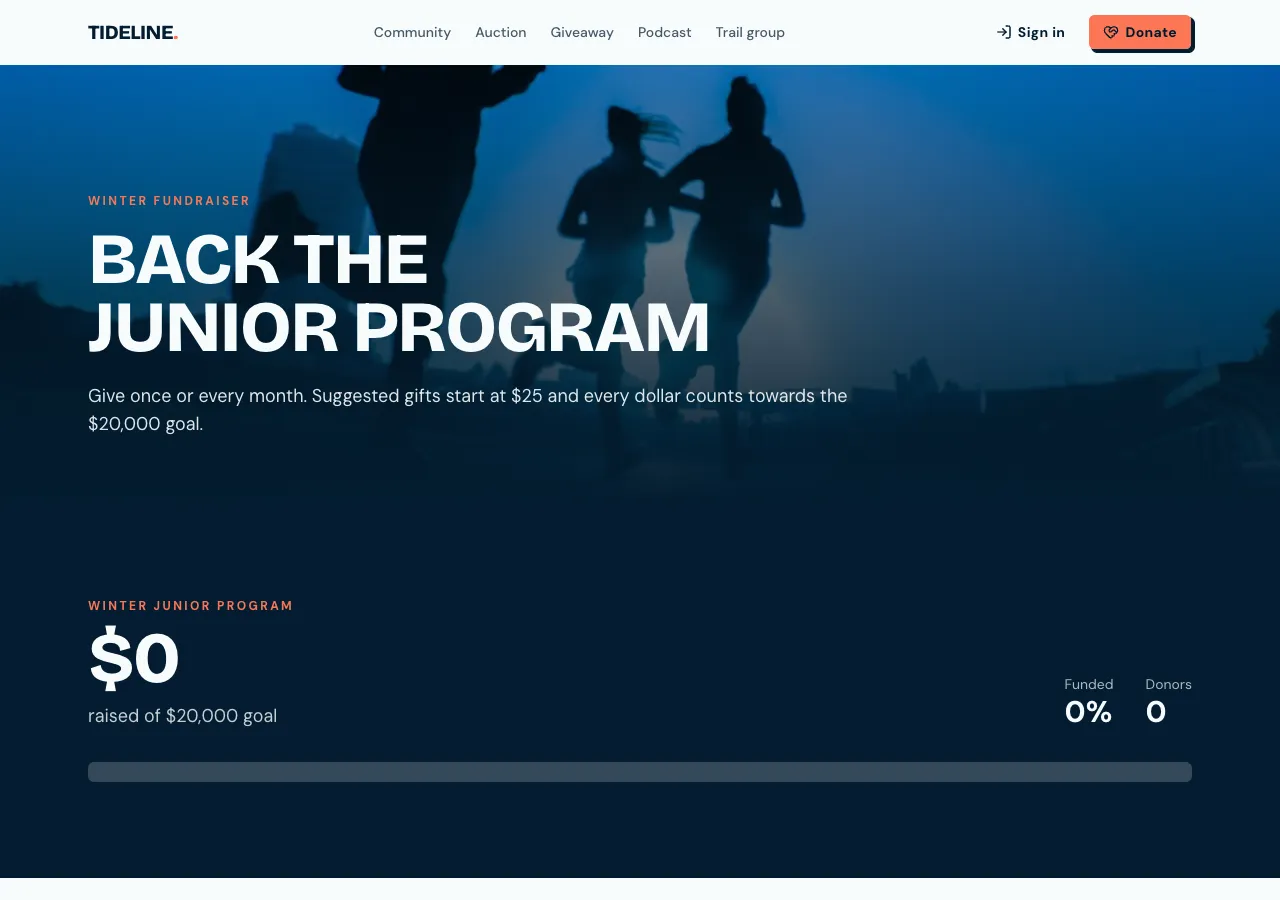
Campaigns with a goal
Ask for donations and the AI follows its donations guide: campaigns with a story, a cover image, an optional goal and dates, suggested amounts and a minimum and maximum gift, plus a general fund with no goal. A campaign page shows the story, a progress bar of raised against the goal, the number of donors and days left, and the Donate form.
How a gift is paid
The donor picks an amount or types their own, and a database function checks it is inside your limits before it creates the order; the amount is never taken from the browser as is. Payment opens Stripe Checkout on your connected Stripe account, on a paid plan. Progress counts only gifts Stripe has confirmed as paid, so the bar never runs ahead of the money.
Monthly giving
A donor who signs in can choose Monthly: each monthly amount is a plan, and the gift becomes a Stripe subscription on your account. Monthly donors manage their card or stop giving from the billing portal, and staff see monthly donors in the admin area. One off gifts do not need an account.
The donor wall
Donors can tick Show me on the donor wall and Give anonymously, and leave a short message. The wall shows only paid gifts, with a first name or Anonymous and the message; amounts appear only if you ask for them, and email addresses never appear. Staff moderate the wall in the admin area.
What it leaves to you
The site writes no tax deductible wording and issues no tax receipts of its own; the donor gets Stripe's receipt. If your charity must issue receipts or claim gift aid, either keep using a giving platform that does, or handle receipts outside the site. Refunds are made in your Stripe dashboard.
How it works, in three steps
Step 1
Describe the campaign
Give the cause, the goal and dates, suggested amounts and whether monthly giving and a donor wall are wanted.
Step 2
Connect Stripe
Connect Stripe in account settings, Payments, on a paid plan.
Step 3
Check and publish
Make a test gift in the preview, check the progress bar and wall, then publish.
Limits worth knowing
- Card payments need a paid plan and Stripe connected in account settings; the platform fee is 2% on Starter, 1% on Pro and 0.5% on Pro+, with Stripe fees on top.
- No tax receipts or tax deductible wording are written for you.
- Monthly giving needs the donor to sign in.
- The data lives in the site's own database: a hosted one on every plan, or your own Supabase account.
Questions people ask
Can donors give without creating an account?
Yes, for one off gifts. They give a name and email and pay through Stripe Checkout. Monthly giving needs an account, because the subscription belongs to a person who must be able to change or stop it later from the billing portal on the site.
Does the progress bar update by itself?
Yes. It sums the gifts whose payment Stripe has confirmed and refreshes every 30 seconds while the page is open, so a gift made a minute ago shows up without anyone editing the page. Pending or failed payments never count toward the total.
Can I run more than one campaign?
Yes. Each campaign has its own page, goal, dates and suggested amounts, and a general fund catches gifts that are not for a campaign. Staff create and close campaigns in the admin area and see paid gifts per campaign with a CSV export.
Will donors get a receipt?
Stripe sends its own payment receipt, and the thank you page shows the receipt link once the gift is paid. The site does not issue tax receipts or describe gifts as tax deductible. If your organisation needs formal receipts, issue them from your accounting system or a giving platform.
What does it cost to take donations?
Stripe's processing fees, plus a platform fee per payment of 2 percent on Starter, 1 percent on Pro and 0.5 percent on Pro+. The free plan cannot take payments. Building the site uses credits for the AI work, and publishing needs a paid plan.
Can donors choose where their gift goes?
Yes, by giving to a campaign. Each campaign is a separate destination with its own total, so a donor who cares about the winter appeal gives on that page. Ask for a choice of funds on the general donate page and the AI adds it with the same checks.
Make your own website
The button opens the generator with this use case already described. Change the wording to match yours, generate, then edit anything you like.
Create a website with OneCraftRelated pages
Quote request website where clients accept and pay online
A quote request website turns get a quote into a structured request with the details and photos you need, then lets you send back a priced quote the customer can accept and pay without a phone call. It saves the back and forth that eats a tradie's or a studio's evenings.
Auction website builder: bids, reserves and online payment
An auction website lets signed in bidders raise the price on items until a closing time, then asks the highest bidder to pay. It is only fair if every bid is checked in one place, the reserve stays hidden, late bids cannot snipe the item, and the winner pays online.
Online course website with lessons, progress and paid access
An online course website sells or gives access to a set of lessons and remembers how far each learner got. The work is less in the pages than in the rules: who may open which lesson, which ones are free to preview, and how a learner pays and comes back to where they left off.
More finished work of this kind is on the website examples hub.
Written and checked by the OneCraft team. Last checked .