Websites
Staff roster app with shifts, swaps and timesheets
A staff roster app shows each person their shifts, lets them pick up open shifts, swap or ask for time off, and clock in and out. For the manager it replaces a spreadsheet and a group chat with one roster that refuses double shifts and adds up the hours for payroll.
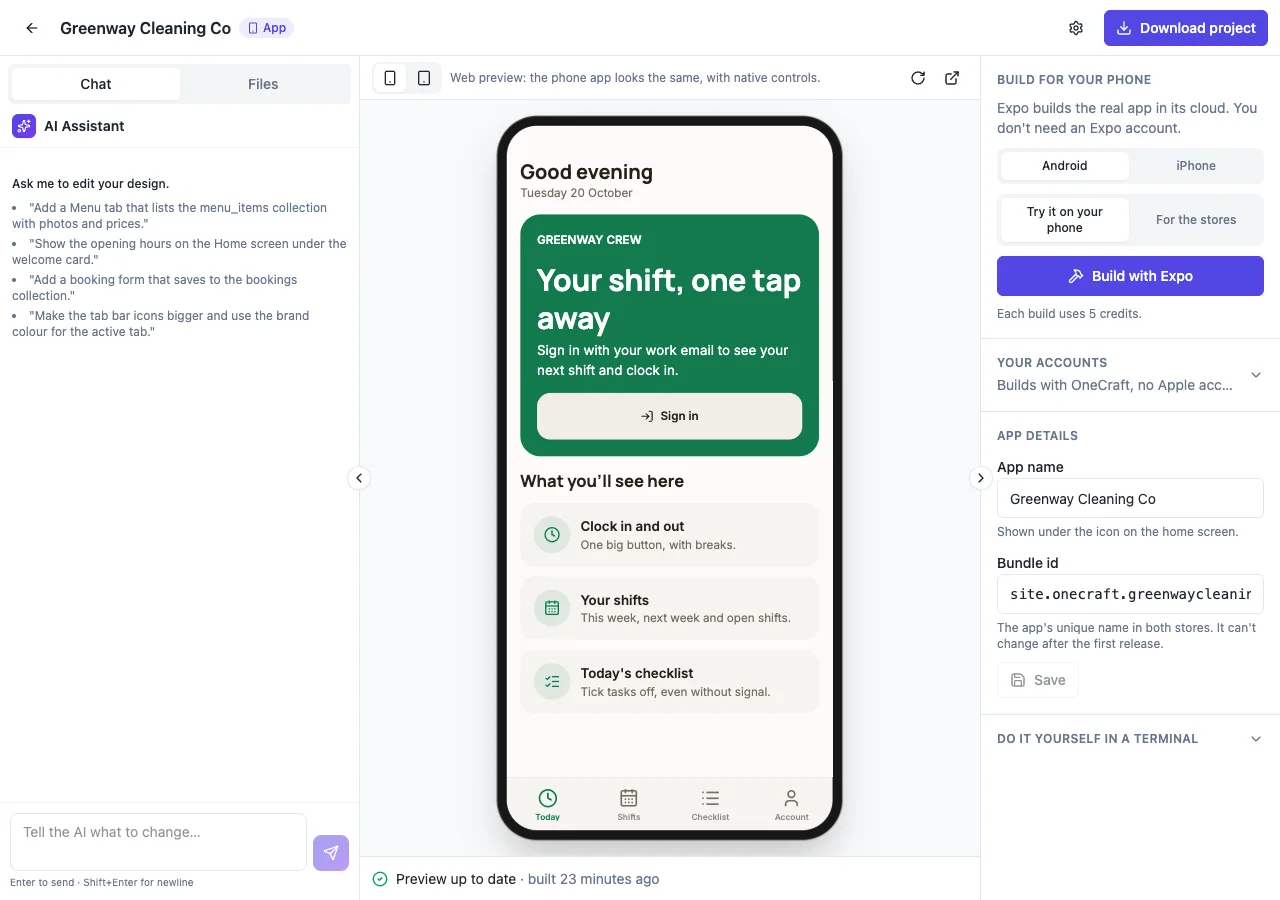
Built app first
Pick Mobile app in the generator and describe your team; a staff app suits rostering because people check shifts on their phones. The AI follows its roster guide: staff, shifts with times and roles, time off, availability, swaps and time entries, in the app's own database. A website can carry the same staff pages behind sign in.
What staff see
A My shifts tab with a week strip and shift cards, Open shifts to take, swap offers, time off requests and a big Clock in button with a running timer. Staff join with an invite link the manager sends, which connects their account to their staff record. A local reminder an hour before each shift can be turned on in the app.
What the manager sees
The admin roster is a week grid with a row per person and shift blocks per day: click an empty cell to add a shift, copy last week, publish the week. Saving refuses a shift that overlaps another for the same person or falls in approved time off. The grid shows hours per person and the week's cost from pay rates only managers can read.
Swaps, open shifts and time off
Staff offer a shift to a colleague or to anyone, accept a swap, or take an open shift; the manager approves swaps and time off. Each step notifies the people concerned in the app's notification bell. Shifts are visible only once the week is published, and only to the person rostered, or to the team if you ask.
Timesheets and offline
Clock in links to the shift starting within 30 minutes, and clock out records breaks. A timesheet view adds up hours per person per week, with edits and a CSV export for payroll in the admin. Ask for offline use and the shift list stays readable with no signal, with changes sent when the connection returns.
How it works, in three steps
Step 1
Describe the team
Pick Mobile app and describe the staff, roles, sites and how shifts, swaps and timesheets should work.
Step 2
Invite staff
In the admin, add staff and send each an invite link from your own mail.
Step 3
Build for phones
On a paid plan, run an Android or iPhone build with Expo, 5 credits each, and share the test install.
Limits worth knowing
- Clock in cannot check where someone is; the app has no location.
- Roster changes reach staff in the notification bell and local reminders, not by push or SMS.
- Expo builds need a paid plan, 5 credits each; you submit to the stores yourself.
- The data lives in the site's own database: a hosted one on every plan, or your own Supabase account.
Questions people ask
Can staff swap shifts without the manager?
Staff can offer and accept swaps, but the swap moves the shift only when the manager approves it. That keeps the roster accurate and stops a swap that would break overtime or skills rules. Everyone involved gets a notification in the app at each step.
Does clock in check location?
No. The app starter has no location access, so clock in records the time and links the nearest shift, but cannot prove where someone is. Many small teams pair it with the site address on the shift and a quick photo sent to the manager outside the app.
Can I export timesheets for payroll?
Yes. The timesheet view adds up hours per person per week from clock in and out minus breaks, and the admin exports it as a CSV for your payroll software. Managers can correct an entry before export, and the edit is kept with the entry.
Can staff see each other's shifts?
By default each person sees their own published shifts and the open ones. Ask for a team roster and published shifts become visible to all staff, which helps with swaps. Pay rates are always kept in a separate table only managers can read.
Do staff need to install the app from a store?
You can run a test build with Expo and share it: Android installs from a QR code, and an iPhone test build installs from its Expo page on registered devices. For the whole team, submit the app to the stores from your own developer accounts. The same pages can also work on the website.
What does it cost?
Building the app uses credits for the AI work, and Expo builds cost 5 credits each on a paid plan. The roster data needs a database: hosted on every plan, or your own Supabase account. Apple charges 99 USD a year and Google Play 25 USD once if you publish there.
Make your own website
The button opens the generator with this use case already described. Change the wording to match yours, generate, then edit anything you like.
Create a website with OneCraftRelated pages
Connect your own Supabase to an AI written website
Connecting your own Supabase account means the site's database lives in a project you own and pay for, not on the builder's servers. The AI still writes the tables, access rules and screens; the data, the backups and the dashboard are yours.
Podcast website builder with episodes and show notes
A podcast website gives every episode a page search engines can read, with show notes, guests, links to listen and a transcript. The feed itself stays with your podcast host; the website is where new listeners land and where the notes live.
App store builds with Expo, from the app builder
Building an app for the stores means turning the project into an Android file and an iPhone file signed for distribution, then submitting them from your own developer accounts. The builder runs the Expo builds for you; the store listings and the submission stay yours.
More finished work of this kind is on the website examples hub.
Written and checked by the OneCraft team. Last checked .