Forms · Alternative
A Formaloo alternative for designed forms and signed PDFs
Formaloo is a no code platform where forms sit on top of databases, workflows, portals and chatbots, and its free plan already includes unlimited submissions, logic, calculations and scoring. A move away is rarely about price. It is about whether you want a platform to build on or a form builder that writes the form, styles it and turns each answer into a PDF.
Updated , competitor details checked . Formaloo is a trademark of its owner. OneCraft is an independent product, not affiliated with or endorsed by Formaloo.
Nuwan Madhusanka · Co-founder
2 min read · Published
The short verdict
Formaloo is the stronger choice for teams building data apps: forms on databases, logic with variables and calculations, payments, workflows and multi step approvals, with unlimited submissions even free. OneCraft is the simpler choice for a single well designed form generated from a description, with a response PDF, a fillable PDF and a certified signing step.
| Feature | Formaloo | OneCraft |
|---|---|---|
| Free plan | Free at $0 a month with unlimited forms and apps, unlimited monthly submissions and 1 GB cloud storage checked 2026-10-21 | Free at $0 with 100 credits a month, about 3 AI projects |
| Paid plans | Pro at $19 a month; Business shown at $29 a month, down from $38; Enterprise custom checked 2026-10-21 | Starter $8, Pro $25 and Pro+ $125 a month |
| Logic and calculations | Conditional logic, variables, calculation and multiple endings on the free plan checked 2026-10-21 | Jump rules on conversational forms only; no calculations or variables |
| Field types | 50+ advanced fields and blocks, including kanban boards and charts checked 2026-10-21 | 41 component types across classic and conversational forms |
| Payments | Accept payments through Stripe, Square, PayPal and more on Pro checked 2026-10-21 | No payment component |
| Documents | Create PDFs and smart documents from submissions on Pro checked 2026-10-21 | Response PDF on every plan and fillable PDF export from Starter |
| E-signatures | Collect unlimited signatures on Pro checked 2026-10-21 | An e-signing add-on with a hash chained audit trail and certificate |
| Partial submissions | Partial submits and auto save on Pro checked 2026-10-21 | Nothing is stored before submit |
| Custom code | Custom CSS and JS on Business checked 2026-10-21 | No custom CSS; themes and a theme builder |
| Team seats | 1 team member seat on Free and Pro, 3 on Business, extra seats $9 per seat a month checked 2026-10-21 | Plans meter credits rather than seats |
| Writing the form | AI powered analytics and features are mentioned; a form generator is not described on the pricing page checked checked 2026-10-21 | A description of up to 10,000 characters generates the whole form |
Where Formaloo is better
A platform, not only forms
Forms sit beside databases, apps, chatbots, portals and workflows with multi step approvals. Building an internal tool on Formaloo is possible; on OneCraft the form is the whole product.
Logic and maths for free
Conditional logic, variables, calculations, scoring and multiple endings come on the free plan. OneCraft only jumps between conversational screens and calculates nothing.
Payments and bookings
Pro connects Stripe, Square and PayPal and can limit how often an option is chosen, which turns a form into a ticket or booking page. OneCraft forms take no payments and have no option limits.
Login forms that remember people
Memoryforms let logged in users keep a profile that autofills their next submission. OneCraft's login required access type checks who may answer, but it does not prefill anything.
Where OneCraft is different
A finished form from a description
The generator writes fields, sections, welcome and thank-you screens and a theme in one pass, or rebuilds a paper form from a photo on a paid plan. There is no database to design first.
Signing with an evidence trail
The e-signing add-on turns a response into an envelope whose audit trail is hash chained across 18 event types and whose finished PDF is certified so later edits break it, with a certificate of completion as a separate file.
A printable layout you control
The response PDF and the fillable PDF come from a dedicated layout editor, so the printed version can match the paper form a client already knows.
A finished example
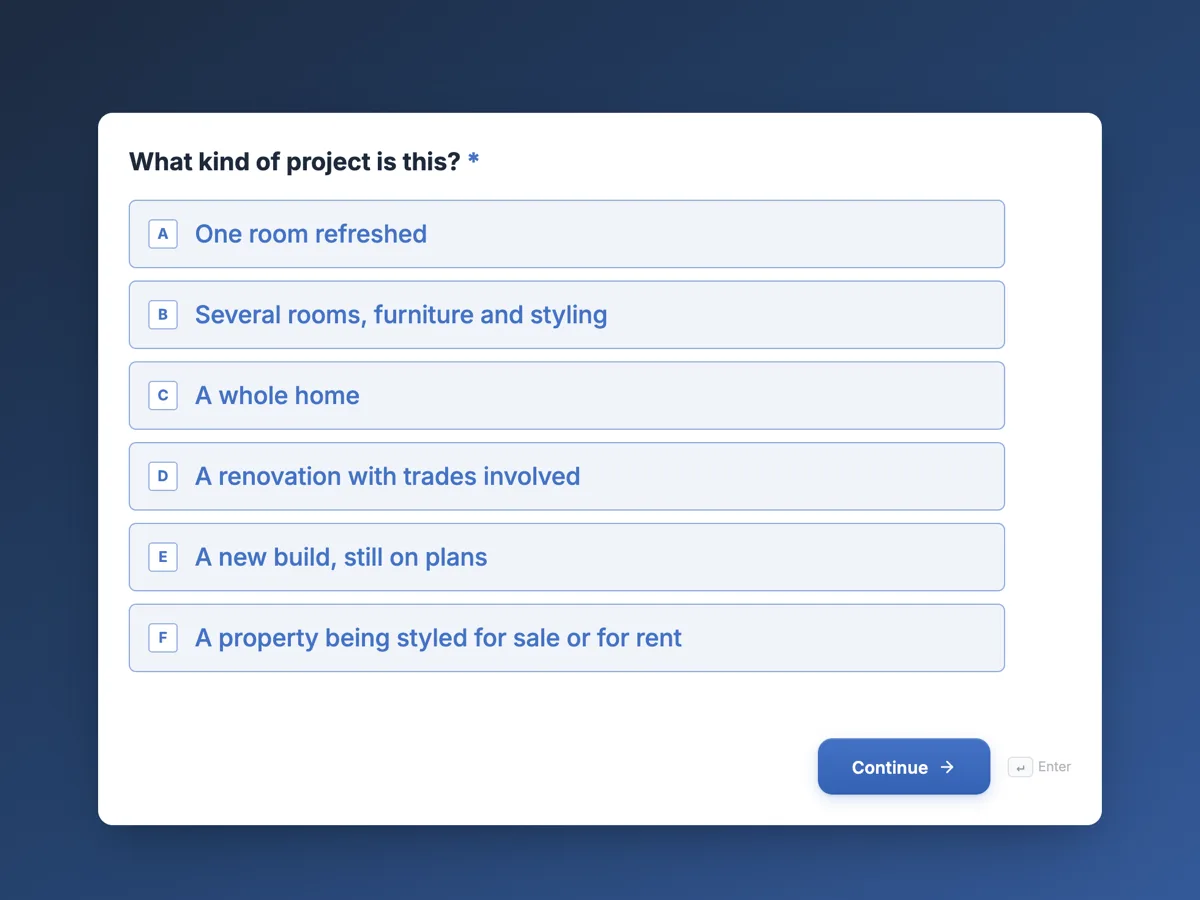 Interior design client questionnaire that starts with the roomsMade with OneCraft, exactly as the generator and editor left it. Open the page for the full breakdown.
Pricing in plain terms
Formaloo's pricing page, read on 21 October 2026, lists Free at $0 a month with unlimited forms, apps and submissions, 1 team member seat, 20 external seats and 1 GB of storage; Pro at $19 a month with workflows, PDFs, unlimited signatures, partial submits, payments and 5 GB; Business shown at $29 a month, down from $38, with branding removal, custom domains, custom CSS and JS and approvals; and a custom Enterprise plan. Extra team seats are $9 per seat a month on Pro and Business. OneCraft lists $0, $8, $25 and $125 a month for 100, 500, 1,500 and 7,500 AI credits.
Platform or form builder
The useful test is what happens after the form. If a submission must update a table, start an approval, show up in a portal or feed a chart, Formaloo is built for that. If it must be read, printed, filed and perhaps signed, OneCraft covers that path with less to configure.
Moving a form across
There is no Formaloo importer. Export your submissions first, then rebuild the form from its question list or a screenshot. Calculated fields, variables, payment fields and option limits will not carry over, so remove or rethink them before rebuilding.
Where the facts come from
Formaloo's column quotes its pricing page and home page as read on 21 October 2026. OneCraft's cites an internal ledger checked against the product's source.
Who should stay with Formaloo
Stay with Formaloo if your forms feed databases and workflows, use calculations or scoring, take payments or need login forms that remember people. Those are platform features, and OneCraft does not try to offer them.
Questions people ask
Is Formaloo free?
Yes. Its pricing page lists a free plan at $0 a month with unlimited forms, apps and monthly submissions, logic and calculations, 1 team member seat and 1 GB of storage. Paid plans add workflows, PDFs, signatures, payments and more seats.
Can I create PDFs from submissions in both tools?
Yes. Formaloo lists PDFs and smart documents on its Pro plan. OneCraft prints every response as a PDF laid out in the form's PDF editor on any plan, and exports a fillable PDF of the form from the Starter plan.
Does OneCraft have database blocks?
No. Responses go to a table you can view and export to CSV, and a webhook can forward them. There are no kanban boards, linked tables or charts built from responses, which Formaloo offers. For anything that behaves like an app, Formaloo is the better fit.
Can a form limit how many people pick an option?
Formaloo's Pro plan limits how many times a choice can be selected, for tickets or bookings. OneCraft has no option limits, so a class with ten places would need checking by hand. A waitlist form that collects interest, then confirms places by email, is the usual workaround.
Which tool suits a design studio intake form?
For an intake that gathers details, preferences, images and a signed acknowledgement, either works. OneCraft fits if you want it generated from a short brief, themed and printed as a PDF; Formaloo fits if the answers should start a project record and workflow.
Try the form side of OneCraft
The button opens the generator with a starting prompt already filled in. Change the wording to match your own work before you run it.
Create a form with OneCraftMore comparisons
- An Airtable forms alternative for designed public formsAn Airtable forms alternative for designed public forms: where data lands, conditional fields, uploads and seat pricing compared, read 21 October 2026.
- A Fillout alternative for AI forms, PDFs and signaturesA Fillout alternative that builds forms from a description or a PDF, exports fillable PDFs and sends responses for signature, with Fillout's free tier quoted.
- A Tally alternative for forms with PDFs and e-signatureA Tally alternative for forms that end in a PDF or signed document: free plan, logic, payments and design compared, with Tally prices read 21 October 2026.
What the module actually does, feature by feature: the AI form builder page, and the forms maker page.
Step by step in the builder: Create a form with AI, then Shape the PDF version of your form.
Written and checked by the OneCraft team. Last checked .