Forms · Alternative
An involve.me alternative for forms without quiz scoring
involve.me builds quiz funnels: scored questions, calculators, payment pages, email sequences and a built in CRM, sold by the number of live funnels. It is the wrong swap if your form must score, calculate or charge. It can be the right one if what you need is an intake, application or consent form that ends as a PDF or a signed document.
Updated , competitor details checked . involve.me is a trademark of its owner. OneCraft is an independent product and is not affiliated with or endorsed by involve.me.
Nuwan Madhusanka · Co-founder
3 min read · Published
The short verdict
involve.me suits marketers whose forms are lead funnels: scored quizzes, price calculators, payments, A/B tests and email sequences tied to answers. OneCraft suits small businesses and teams whose forms collect information rather than qualify leads, generated from a description and finished as a PDF or a signing envelope.
| Feature | involve.me | OneCraft |
|---|---|---|
| Entry plan | Start at $29 a month billed annually or $49 monthly: 3 live funnels, 1 user, scoring, email automation and a built in CRM checked 2026-10-21 | Free $0 with 100 credits a month; Starter $8 a month |
| Higher plans | Grow $69 a month annually or $99 monthly with 5 live funnels; Scale $139 or $199 with 25 live funnels; Enterprise from $499 a month checked 2026-10-21 | Pro $25 and Pro+ $125 a month; no limit on live forms printed |
| Quiz scoring | Answer Scoring and Individual Values for Scores on every plan checked 2026-10-21 | No scoring or correct answers |
| Calculators | Individual Values for Calculations on every plan, and an AI formula builder for calculators checked 2026-10-21 | No calculated fields |
| Payments | Payment platforms: 1 on Start, 2 on Grow, 10 on Scale; coupon codes on every plan checked 2026-10-21 | No payment component |
| Logic | Logic jumps and conditional logic listed on every plan checked 2026-10-21 | Jump rules on conversational forms only |
| File uploads | Upload storage 500 MB, 1 GB or 5 GB and a maximum file size of 20 MB, 50 MB or 200 MB by plan checked 2026-10-21 | 1 to 10 files per field, images and PDF only, up to 100 MB each |
| Welcome and end screens | 300+ design templates and theme customisation on every plan checked 2026-10-21 | 10 welcome screen layouts and 4 thank-you layouts |
| Partial submissions | Track partial submissions from the Scale plan checked 2026-10-21 | Nothing is stored before submit |
| Signing | Not listed on the pricing page checked checked 2026-10-21 | An e-signing add-on that sends a response for certified signing |
| PDF output | Not listed on the pricing page checked checked 2026-10-21 | A response PDF on every plan and fillable PDF export from Starter |
Where involve.me is better
Funnels that score and qualify
involve.me assigns values to answers, adds them up, and shows a result or routes a lead by score, which is the core of a lead quiz or an assessment. OneCraft records answers and never scores them.
Calculators and price quotes
Calculations and an AI formula builder let a solar installer or insurer show an estimate inside the form. OneCraft has no arithmetic anywhere in a form.
Payments, coupons and email sequences
Payment platforms, coupon codes, automated email sequences triggered by answers, and a CRM come with every plan. OneCraft forms cannot take payment and send no email to the person who answered.
Growth tooling
A/B testing of funnels and emails, OTP verification of emails and phone numbers, Meta pixel and Google Analytics tracking are part of the higher plans. None of these exist on the OneCraft side.
Where OneCraft is different
Forms rather than funnels
Intake sheets, applications, waivers, consent and booking requests are the work here. The generator writes them from a description, with 41 component types available, including address, full name, table, matrix and signature.
No count of live forms
involve.me prices by live funnels, from 3 on Start to 25 on Scale. OneCraft prices AI generation, and its pricing page prints no limit on how many forms are live.
A document trail after submit
A response can become a PDF through a layout editor, a fillable PDF on the Starter plan, or a signing envelope with an audit trail. That suits clinics, schools and trades more than a lead funnel does.
A finished example
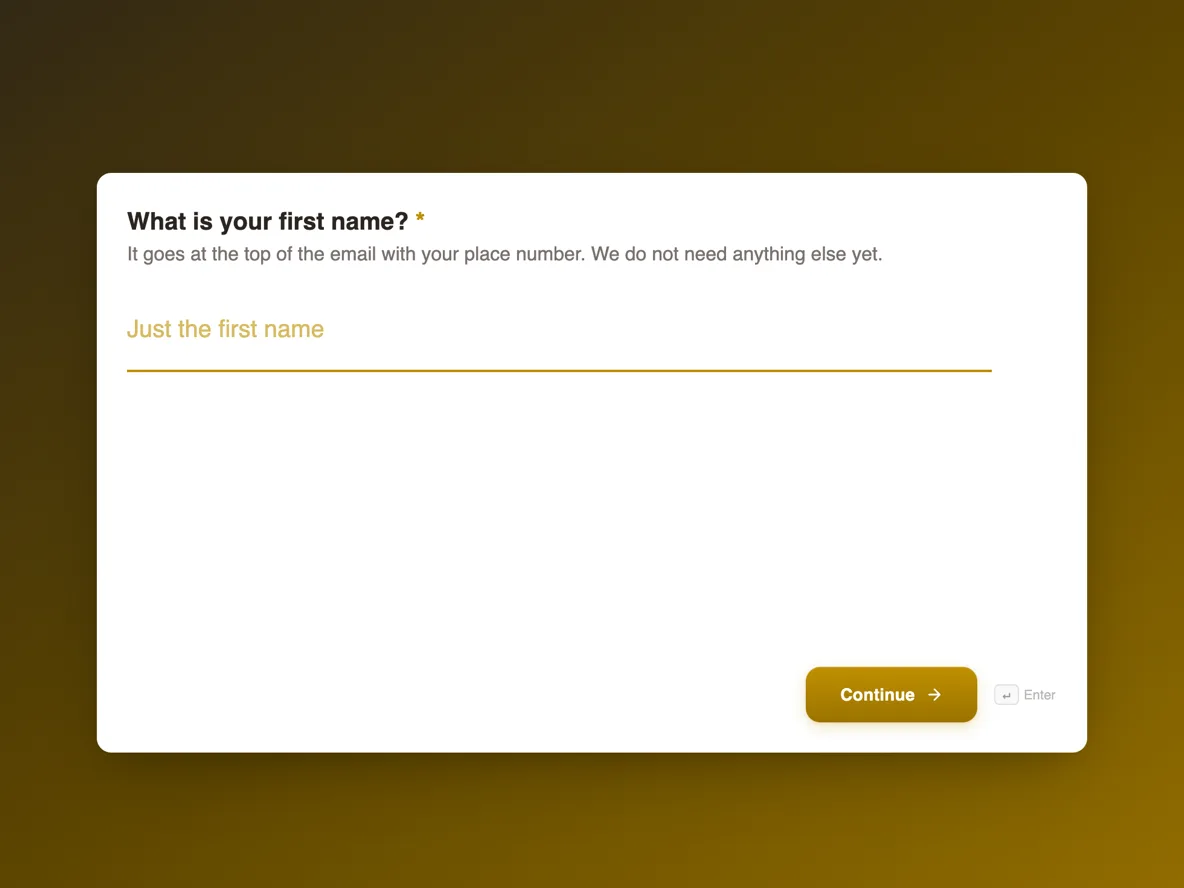 Waitlist signup form that tells people where they standMade with OneCraft, exactly as the generator and editor left it. Open the page for the full breakdown.
Pricing in plain terms
involve.me's pricing page, read on 21 October 2026, lists four plans in US dollars excluding EU VAT. Billed yearly: Start at $29 a month with 3 live funnels, 1 user and 100 AI credits a month; Grow at $69 with 5 live funnels and 2 users; Scale at $139 with 25 live funnels and 5 users. Billed monthly the same plans are $49, $99 and $199. Enterprise starts from $499 a month on annual contracts. A free plan is mentioned below the table. OneCraft's monthly prices are $0, $8, $25 and $125 for 100, 500, 1,500 and 7,500 credits.
The funnel features that do not exist here
To be plain about it: there is no answer scoring, no outcome screen chosen by score, no calculator, no payment field, no coupon, no email sequence to the respondent, no A/B test, no OTP verification and no partial submission capture. If a form you want to move uses any of these, rebuild it elsewhere.
When the switch makes sense
A studio waitlist, a contact form, a volunteer application or a client intake that only needs the answers, a nice look and maybe a signed PDF is overserved by a funnel tool priced by live funnels. Moving those forms frees funnel slots for the campaigns that actually need scoring.
How the facts were gathered
The involve.me column quotes its pricing page and home page as read on 21 October 2026. Each OneCraft cell names a row in an internal ledger read from the product's source code.
Who should stay with involve.me
Stay with involve.me if your form scores answers, calculates a price, charges a card, sends answer based email sequences or is tuned with A/B tests. Each of those is plainly absent here, so a move would break the funnel rather than simplify it.
Questions people ask
Can I build a scored quiz with OneCraft?
No. Forms collect answers without scores, correct answers or outcome screens. A quiz layout can be imitated with radio questions, but nothing is marked. involve.me's scoring and result routing are the reason to keep quiz funnels there. Moving a quiz funnel would remove the part that qualifies the lead.
Is there an involve.me alternative with e-signature?
OneCraft adds e-signing to forms as an add-on: a submitted response becomes a signing envelope emailed to its signers, with a hash chained audit trail and a certificate of completion. involve.me's pricing page checked on 21 October 2026 does not list e-signature.
Can a OneCraft form show a price estimate?
No. There are no calculated fields, so a quote request collects quantities and options but cannot show a total. Many trades use a quote request form and send the price afterwards, which also avoids quoting before a site visit. If an instant estimate is what wins the lead, keep that form on a calculator tool.
How many forms can be live at once?
involve.me limits live funnels by plan: 3, 5, 25 or custom. OneCraft's pricing page prints no cap on live forms; its plans limit AI generation credits instead. For a business with many small forms, such as a waitlist, contact form and several applications, a cap on live funnels adds up quickly, so count your forms before choosing a plan.
Does either tool send a confirmation email to the respondent?
involve.me lists emails and automated email sequences on every plan. OneCraft does not email respondents; its only form email is the owner's alert to one address, so a confirmation would have to come from another system. A short thank-you screen, in one of 4 layouts, is the only acknowledgement a OneCraft respondent sees.
Try the form side of OneCraft
The button opens the generator with a starting prompt already filled in. Change the wording to match your own work before you run it.
Create a form with OneCraftMore comparisons
- A Typeform alternative, compared honestlyOneCraft as a Typeform alternative for conversational forms: what matches, what does not, where Typeform stays ahead, and both public pricing pages quoted.
- A Paperform alternative with AI forms and e-signingA Paperform alternative with AI generated forms, welcome screens, fillable PDFs and certified signing, and an honest list of what Paperform does that it cannot.
- A Fillout alternative for AI forms, PDFs and signaturesA Fillout alternative that builds forms from a description or a PDF, exports fillable PDFs and sends responses for signature, with Fillout's free tier quoted.
What the module actually does, feature by feature: the AI form builder page, and the forms maker page.
Step by step in the builder: Create a form with AI, then Design your welcome and thank-you screens.
Written and checked by the OneCraft team. Last checked .