Websites
Giveaway website with entries, rules and a fair draw
A giveaway website runs a prize draw people enter online, with clear rules and a draw nobody can rig. It needs one entry per person, rules written by the owner for their state or country, and a draw that runs once, at random, after entries close.
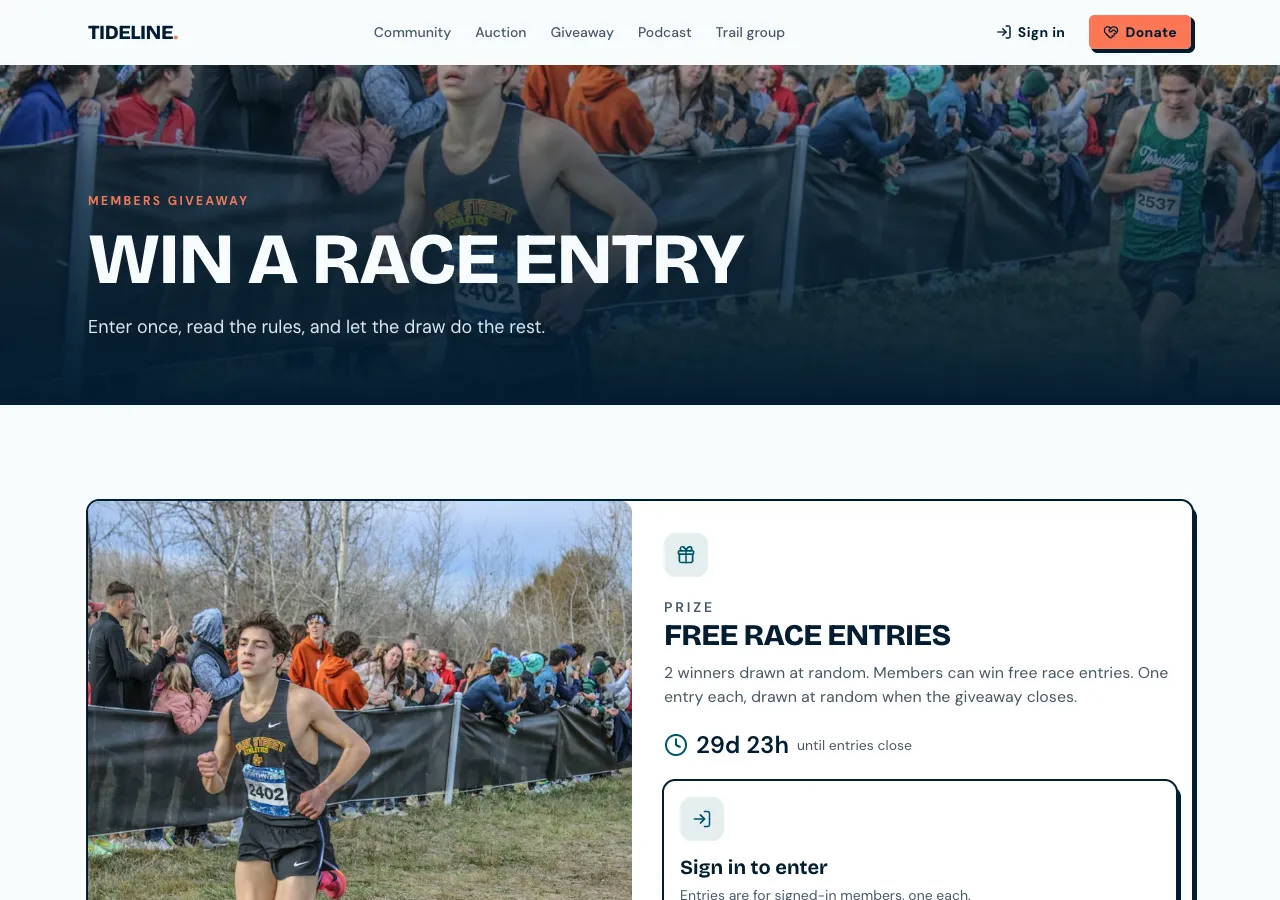
The contest page
Ask for a giveaway and the AI follows its contests guide: a contest with a title, prize, image, rules, start and end, the number of winners and an optional entry question. The page shows the prize, a countdown, a sign in prompt, then the question, an I agree to the rules tick and Enter; afterwards it says You're in with share buttons.
One entry per account
Entries go through a database function that checks the contest is open, the rules were accepted and records the entry. A unique rule on contest and person means a second entry is ignored, whatever the page does. Visitors cannot read other people's entries, which the AI tests before it finishes.
A fair draw
After entries close, staff press Draw in the admin with a confirm that it cannot be undone. A database function picks the winners at random from the entries using a strong random source, records them in order, and runs only once. Each winner gets a notification in the site's bell to claim the prize by a date.
Your rules, not the AI's
The AI writes no rules or legal terms; the rules page shows exactly what you give it, with the prize, dates, eligibility and how winners are picked and contacted. Giveaway laws differ by state and country, and some draws need a permit, so check yours first. The admin reminds you to add rules before a contest opens.
Results and contacting winners
After the draw, the results show each winner's rank and the first word of their display name, never emails. Staff see the full winners list, mark prizes claimed and use an Email button that opens their own mail app. Entries export as CSV from the admin.
How it works, in three steps
Step 1
Describe the giveaway
Give the prize, dates, number of winners, the entry question and your rules.
Step 2
Check the flow
Enter twice with one test account in the preview, then run a test draw on a test contest.
Step 3
Publish
On a paid plan, publish and share the page when entries open.
Limits worth knowing
- You write the rules; the AI writes no legal terms.
- Winners are told in the site's bell and contacted from your own mail.
- The data lives in the site's own database: a hosted one on every plan, or your own Supabase account.
- The free plan builds and previews the site; publishing starts on Starter.
Questions people ask
Do I need a permit to run a giveaway?
It depends on where you and the entrants are. In Australia, trade promotion lottery rules differ by state, and some states need a permit for larger prizes. Check your state's rules before you open entries. The site records entries and runs a fair draw, but the legal side is yours.
How do you stop people entering many times?
The database allows one entry per account per contest, so a second entry is ignored. People can still make extra accounts with throwaway emails, so for valuable prizes ask entrants for details you can check when they claim, and state that in your rules.
Is the draw really random?
Yes. The draw function orders the entries by a value from a strong random source and takes the first winners in that order, inside the database, once. It refuses to run before the end time or a second time. The result is recorded with the time of the draw.
Can people enter by sharing on social media?
Entries happen on the site, one per account. After entering, share buttons help people tell friends. Rewarding shares with extra entries is not built in, and social platforms have their own rules about contests that require sharing, so read them first.
Can I run a paid raffle?
Not as a giveaway. Paid raffle tickets are orders with payment, and raffles usually need a licence. If your licence allows it, ask the AI for raffle tickets as products through Stripe, and keep the draw function for picking winners.
How are winners told?
Each winner gets a notification in the site's bell saying what they won and the date to claim by, and the public results show ranks with first names only. Staff contact winners from their own mail using the Email button in the admin, since the site does not email them.
Make your own website
The button opens the generator with this use case already described. Change the wording to match yours, generate, then edit anything you like.
Create a website with OneCraftRelated pages
Website with customer reviews and moderation
A website with customer reviews lets real customers rate a product, a service or the business and say why. Reviews are only worth showing if they come from real people, appear after a check, and are never mixed with quotes the owner picked or numbers the owner made up.
Directory website builder with filters and submissions
A directory website is a list people browse and filter, such as local tradies, rentals, cars for sale or job ads, and often one they can add to. It stays useful only if the filters match what people look for and new listings are checked before they appear.
Pricing page builder with plans, testimonials and your team
A pricing page shows what each plan or package costs and what it includes, so buyers can choose without a sales call. It earns trust when prices are real, the comparison is easy to scan on a phone, and the quotes and faces around it belong to real clients and staff.
More finished work of this kind is on the website examples hub.
Written and checked by the OneCraft team. Last checked .