Forms · Alternative
A 123FormBuilder alternative with AI form generation
123FormBuilder sells breadth on paid tiers: dozens of built in integrations, fifteen or more payment gateways, unlimited conditional rules and PDF documents. The alternative compared here has almost none of that connective tissue, and instead generates the whole form from a description or an attached PDF, then exports it as a fillable PDF or sends it for certified signature.
Updated , competitor details checked . 123FormBuilder is a trademark of its owner. OneCraft is an independent product, not affiliated with or endorsed by it.
Nuwan Madhusanka · Co-founder
3 min read · Published · Updated
The short verdict
123FormBuilder is the better purchase when the form has to plug into other systems, charge a card or follow unlimited conditional rules, and when a tier with dozens of integrations is worth paying for. OneCraft is the better fit when the form itself is the work, and when the output has to be a fillable PDF or a signed and certified one.
| Feature | 123FormBuilder | OneCraft |
|---|---|---|
| Price | No price text appeared in the pricing page content when it was fetched on the date shown; the page returned plan change questions and answers instead checked 2026-09-20 | Free at $0 with 100 AI credits a month, then $8, $25 and $125 a month for 500, 1,500 and 7,500 credits |
| Free plan | 1 form, 10 fields per form, no rules, no payments and no upload storage, with unlimited submissions checked 2026-09-20 | No limit printed on forms, fields or submissions. The free tier limits AI generation to 100 credits a month and describes exports as limited |
| Integrations | Built-in integrations counted per tier: 3 on Basic, 23 or more on Gold, 42 or more on Platinum, 44 or more on Diamond and 45 or more on Enterprise checked 2026-09-20 | Two outbound channels only: a webhook posted once per submission with a ten second timeout and no retry, and an email alert to a single address |
| Payments | Integration with 15 or more payment gateways, including PayPal, Stripe, Square, PayU, Authorize.Net and Braintree checked 2026-09-20 | A form cannot charge anyone. There is no payment component and no gateway |
| Quizzes | A countdown timer for quizzes, listed from the Gold plan up checked 2026-09-20 | No quiz mode, no timer, no scoring and no correct answers |
| Conditional rules | Conditional logic listed as unlimited across the paid tiers, with the free plan carrying no rules checked 2026-09-20 | Jump rules on conversational forms only: an answer can skip ahead or end the form. Classic forms have no logic, and no form shows or hides fields |
| PDF documents | Generate PDF Documents, listed from the Gold plan up checked 2026-09-20 | A blank template PDF with no plan gate, a fillable PDF export from Starter, and a PDF of each response, arranged in a dedicated layout editor |
| Signature | Digital Signature, listed as available on all plans including the entry tier checked 2026-09-20 | An inline signature printed into the response PDF, plus an add-on that turns the response into an envelope with verification, a hash chained trail and a certified (DocMDP) PDF signature |
| Writing the form | AI generation is not described on the features page checked checked 2026-09-20 | A prompt of up to 10,000 characters produces fields, sections, welcome screen and theme in one pass, in the language asked for |
| From a PDF or a photo | Not described on the features page checked checked 2026-09-20 | Up to 5 attachments of 10 MB each on a paid plan, as PDF, TXT, PNG, JPG, WebP or GIF, read and rebuilt as a new form rather than copied |
| One question at a time | Not offered as a form type on the features page checked checked 2026-09-20 | A conversational form type with 25 components and 25 themes of its own, including recorded audio and video answers |
| Fields per form | 10 fields per form on the free plan and 20 fields per form with 3 rules on the Starter plan named in the pricing questions and answers checked 2026-09-20 | No field ceiling is published. 41 component types are available, 36 in the classic toolkit and 25 in the conversational one |
Where 123FormBuilder is better
The integration count is the product
Forty five or more built in integrations on the top tier, and twenty three or more part way up, means most common destinations are a configuration rather than a project. Here there is one webhook and one email alert, so every destination beyond those two is code somebody has to write, host and watch.
Fifteen or more payment gateways
PayPal, Stripe, Square, PayU, Authorize.Net and Braintree are all named on the features page, which covers most regions and most merchant preferences. A raffle, a ticket sale or a paid registration is one form there. Nothing here takes payment, so the money has to be collected somewhere else and matched by hand.
Unlimited conditional rules
Conditional logic is listed as unlimited on the paid tiers, so a form can be as long as it needs to be and still feel short to each respondent. Logic here stops at jump rules on conversational forms, with none on classic forms and no fields shown or hidden. That is the single biggest functional gap, and it is not compensated for by generation speed or by better looking themes.
Quiz timing
A countdown timer for quizzes exists from the Gold plan, which matters for timed tests and assessments. There is no quiz mode here at all, so a test can be collected as an ordinary form and nothing will time it, score it or mark it.
Where OneCraft is different
Generation instead of a field budget
Where an entry plan elsewhere caps a form at ten fields, the constraint here is generation credits rather than form size. A long intake form with forty questions costs the same as a short one, and the credits are spent when the AI writes it, not when people fill it in.
An old form can be the input
Up to five attachments of 10 MB each are read on a paid plan, in PDF, TXT, PNG, JPG, WebP or GIF. That means a scanned entry form or a photograph of last year's printed version can seed the new one. The original layout is not preserved: the questions are read and rebuilt in the product's own shape.
Signing is certified, not just captured
A digital signature field records a drawn or typed signature. The add-on goes further, building an envelope with verification by email link, access code or six digit code, an append only trail of 18 event types chained by hash, and a certificate of completion carrying document hashes, IP addresses and consent timestamps.
Forms are one output among five
The same login produces documents, presentations, flyers and promotional videos, so a brigade fundraiser can generate the entry form, the event flyer and the sponsor thank you document from one account. 123FormBuilder is a forms specialist, and this is a general maker that includes forms.
A finished example
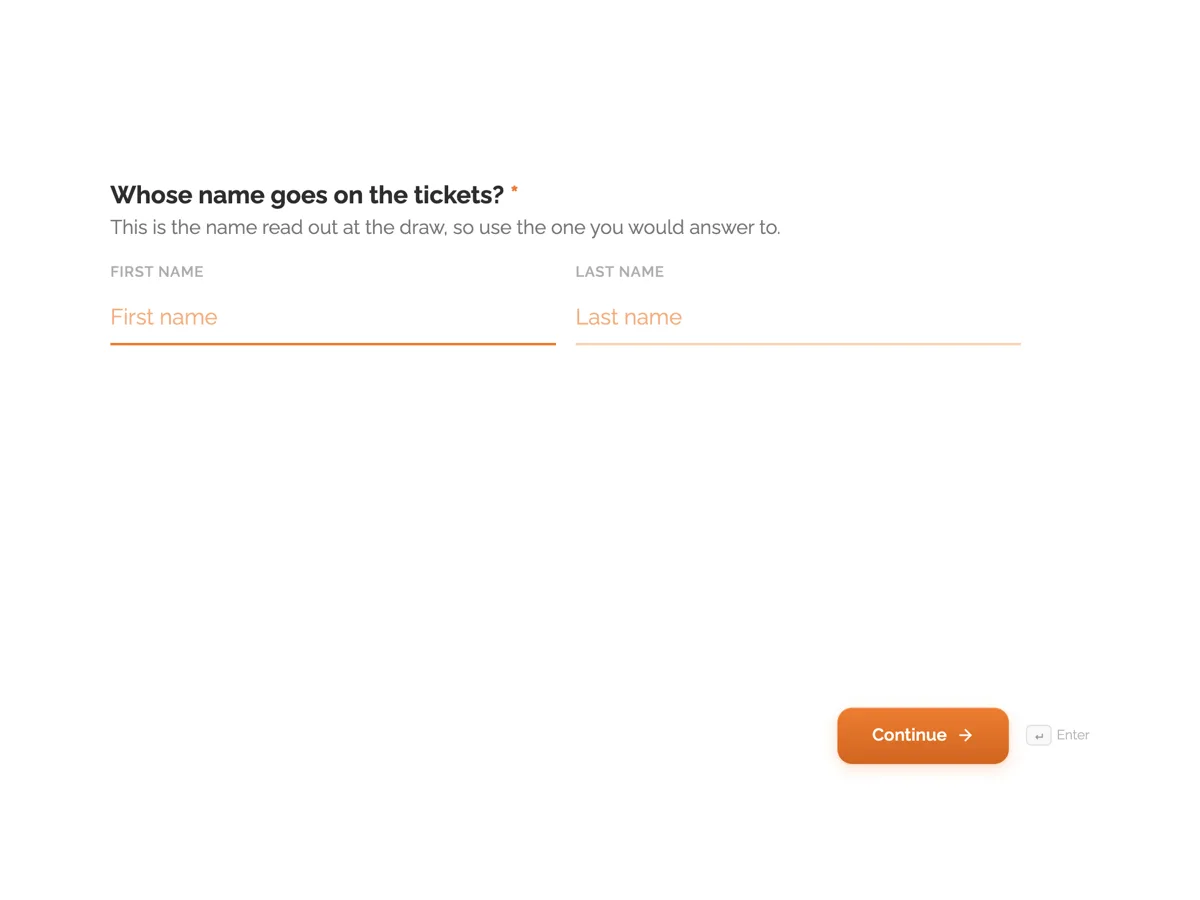 Raffle ticket formMade with OneCraft, exactly as the generator and editor left it. Open the page for the full breakdown.
What the pricing page would not say
The 123FormBuilder pricing page was read on 20 September 2026 and returned questions and answers about a plan change rather than a price table, so no monthly figure for any tier appears in the comparison above. What it did publish is useful anyway: a free plan with one form, ten fields per form, no rules, no payments and no upload storage, but unlimited submissions, a Starter plan described with twenty fields per form and three rules, and an Individual plan with five forms and unlimited submissions. The features page names a different tier ladder again, from Basic through Gold, Platinum and Diamond to Enterprise. OneCraft's own plans are $0, $8, $25 and $125 a month for 150, 500, 1,500 and 7,500 AI credits, published as a single list.
Which forms are worth rebuilding
A short entry or registration form rebuilds in minutes: export it to PDF, attach it to the generator on a paid plan, then check required flags, option lists and upload types, remembering that only images and PDFs can be collected. Forms carrying conditional rules should be left alone or split into simpler ones, because no rule survives the move. A form that takes payment is not a migration candidate at all. Existing submissions should be exported before any account is closed, since nothing transfers by itself.
Where these numbers came from
Integration counts, gateway counts, the quiz timer, the unlimited conditional logic line, the PDF generation entry and the digital signature entry are all quoted from the features page on the date above. Free and Starter plan limits are quoted from the pricing page on the same day. Where that page said nothing, such as AI generation or a one question at a time layout, the table records not published rather than treating silence as an absence.
The basis of the OneCraft claims
Every figure in the right hand column comes from an internal ledger read out of the running product: 41 component types across two toolkits, a prompt ceiling of 10,000 characters, five attachments of 10 MB on paid plans only, a webhook with a ten second timeout that never retries and refuses private addresses, and an audit trail of 18 event types behind a certified (DocMDP) PDF signature. The absences are recorded with the same care, which is why payments and quizzes are flat noes and logic is recorded as jump rules on conversational forms only.
Who should stay with 123FormBuilder
Stay with 123FormBuilder if the form must reach other systems through built in integrations, if it takes payment through a gateway, if conditional rules keep it usable, or if quizzes need a timer. Those capabilities have no counterpart here at any price.
Questions people ask
How much does 123FormBuilder cost?
This page does not say, because no price text appeared on the pricing page when it was fetched on 20 September 2026. The page did publish plan limits, including a free tier with one form and ten fields. Check the live pricing page for current figures rather than relying on any comparison, including this one.
Is there a limit on fields per form?
No field ceiling is published. There are 41 component types available, 36 in the classic toolkit and 25 in the conversational one, and a long form is limited by what respondents will tolerate rather than by the plan. Entry tiers elsewhere often cap fields, which is worth checking before committing.
Can a form connect to other software?
Only through a webhook you receive yourself. It posts each response once as JSON, keyed by field label and by field id, with a ten second timeout, no retry, no redirect following and private network addresses refused. There is no library of built in integrations and no marketplace of connectors.
Is the signature legally usable?
The product captures an inline signature into the response PDF and, with the add-on, produces a PDF carrying a certified (DocMDP) signature, with a certificate of completion recording verification method, timestamps, IP addresses and document hashes. Whether that satisfies a particular law or counterparty is a legal question and should be checked against the rules that apply to you.
Can a quiz be timed or scored?
No. There is no quiz mode, no countdown timer and no marking. A test can be collected as an ordinary form and scored afterwards from the CSV export, which lists one column per field with choice answers exported as their labels. 123FormBuilder lists a countdown timer for quizzes from its Gold plan.
What does an AI generated form actually produce?
Fields, sections, a welcome screen and a theme, from a description of up to 10,000 characters, as a background job with a five minute ceiling. It is a first draft with real option lists and sensible required flags, not a finished form, and it should be read end to end before it collects anything that matters.
Try the form side of OneCraft
The button opens the generator with a starting prompt already filled in. Change the wording to match your own work before you run it.
Create a form with OneCraftMore comparisons
- A Jotform alternative for forms, PDFs and signingOneCraft as a Jotform alternative: classic and conversational forms, fillable PDFs, e-signature and AI generation, with Jotform's breadth stated honestly.
- A Formsite alternative for forms and signed PDFsA Formsite alternative that writes the form from a description, lays out its PDF and signs it with a certificate, against Formsite's workflow and result limits.
- A Wufoo alternative with conversational formsA Wufoo alternative with AI written forms, 37 themes and a one question at a time mode, set against Wufoo's entry limits, reports and payment providers.
What the module actually does, feature by feature: the AI form builder page, and the forms maker page.
Step by step in the builder: Create a form with AI, then Automate your form with add-ons.
Written and checked by the OneCraft team. Last checked .